1 pattern
For one project
$5.99USD
$5.99 per pattern
Buy 1 patternTurn your favorite photographs into a detailed portrait cross stitch pattern with authentic DMC thread matching. Crop faces tightly, customize dimensions, and preview clear symbol charts right in your browser.
Upload a photo and see your pattern in seconds. No account needed to preview.
Upload a portrait, pet or landscape. The studio opens with your photo: crop it, choose the size and colours, and check the printable PDF. No account needed until you download.
Rather chart it yourself? Start from a blank grid
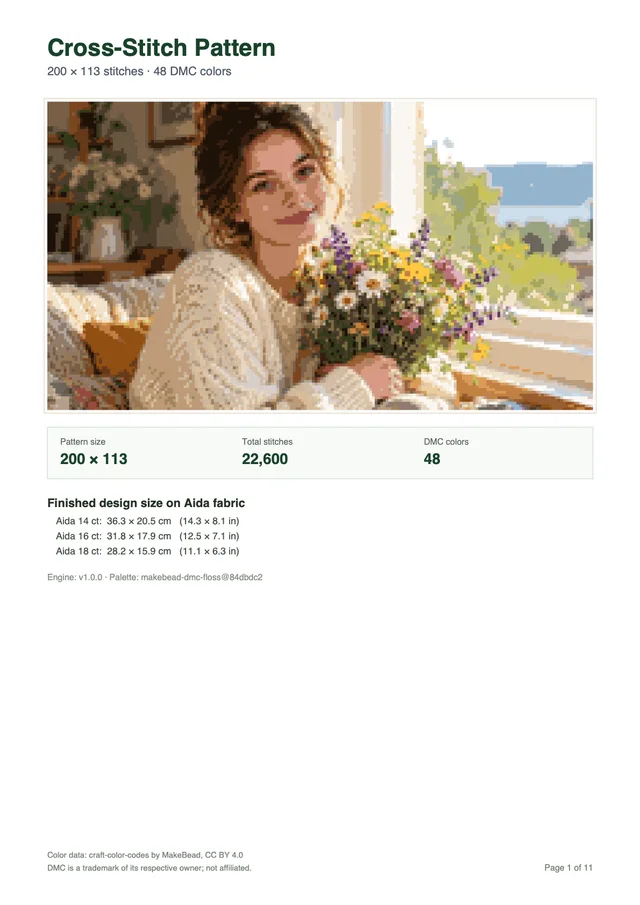
Every download is a multi-page PDF built from your pattern, not a screenshot. This sample was made from the photo above.
Want a different subject? Browse all 67 free patterns
Previewing is free. You pay only when you download a new pattern.
Your first pattern is free Sign up and get 1 credit. No card needed.
Make my patternFor one project
$5.99USD
$5.99 per pattern
Buy 1 patternOne for you, two to give
$12.99USD
$17.97 if bought one by oneSave 27%
$4.33 per pattern
Buy 3 patternsFor the whole family
$19.99USD
$35.94 if bought one by oneSave 44%
$3.33 per pattern
Buy 6 patternsPrices in USD, excluding tax: VAT or sales tax is added at checkout where it applies. Payments by Paddle, our merchant of record. By buying you agree to the Terms of Service and the Refund Policy.
Portraits require sharper contrast and tighter cropping than landscape embroidery because human eyes spot small errors in faces quickly. Converting personal snapshots into counted thread charts demands thoughtful photo choice before you thread a needle. When you prepare a picture properly, the digital conversion captures smiles, expressions, and skin tones with great fidelity.
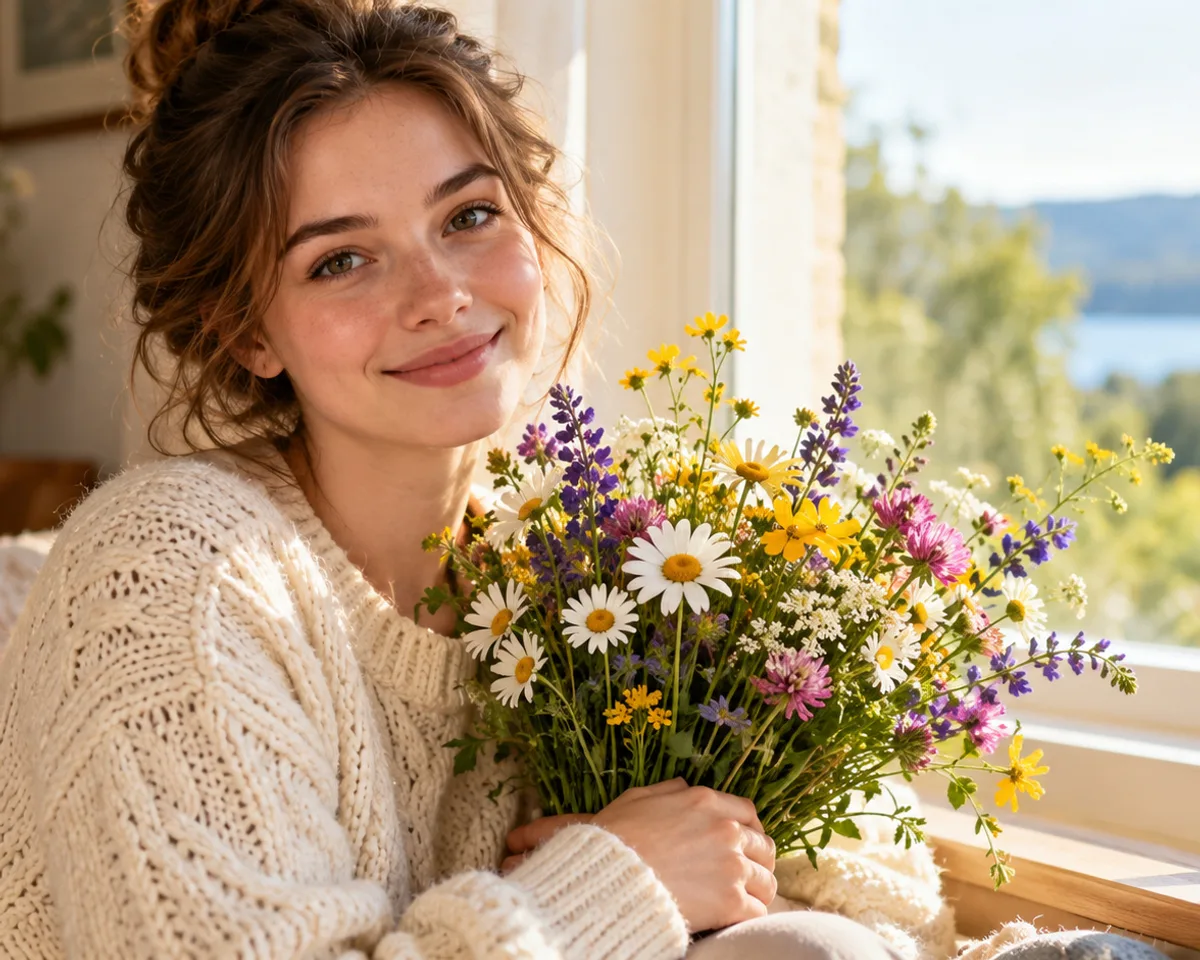
Photographs with soft, natural side lighting produce the most lifelike needlework charts. Gentle window light creates smooth gradients across cheekbones without deep black shadows under the nose or chin. Flash photography flattens facial shapes into pale patches, leaving too little depth for the chart maker to define features cleanly.
Always crop your photo tightly around the subject before making a pattern. A wide snapshot where a person stands ten feet away reduces their face to a dozen squares, creating an unreadable blur on cloth. Tight head-and-shoulders shots give plenty of crosses to eyes, lips, and hair waves. You can test different crop borders right now in the interactive pattern generator at the top of this page.
Keep these practical photo guidelines in mind:
Human skin contains many warm and cool tones that basic thread sets cannot reproduce. A natural face needs beige, cream, peach, blush, and warm umber threads to blend highlights smoothly into cheek shadows. Limiting a portrait to ten shades creates harsh color bands that look unnatural and patchy on fabric.
Our converter matches digital pixels against the 489 shades in the MakeBead dmc-floss dataset. The algorithm evaluates color variance in CIELAB space using the CIEDE2000 standard, matching subtle skin gradations to real skeins. For an isolated face, choosing 30 to 45 DMC colors prevents rough color jumps across foreheads and cheeks.
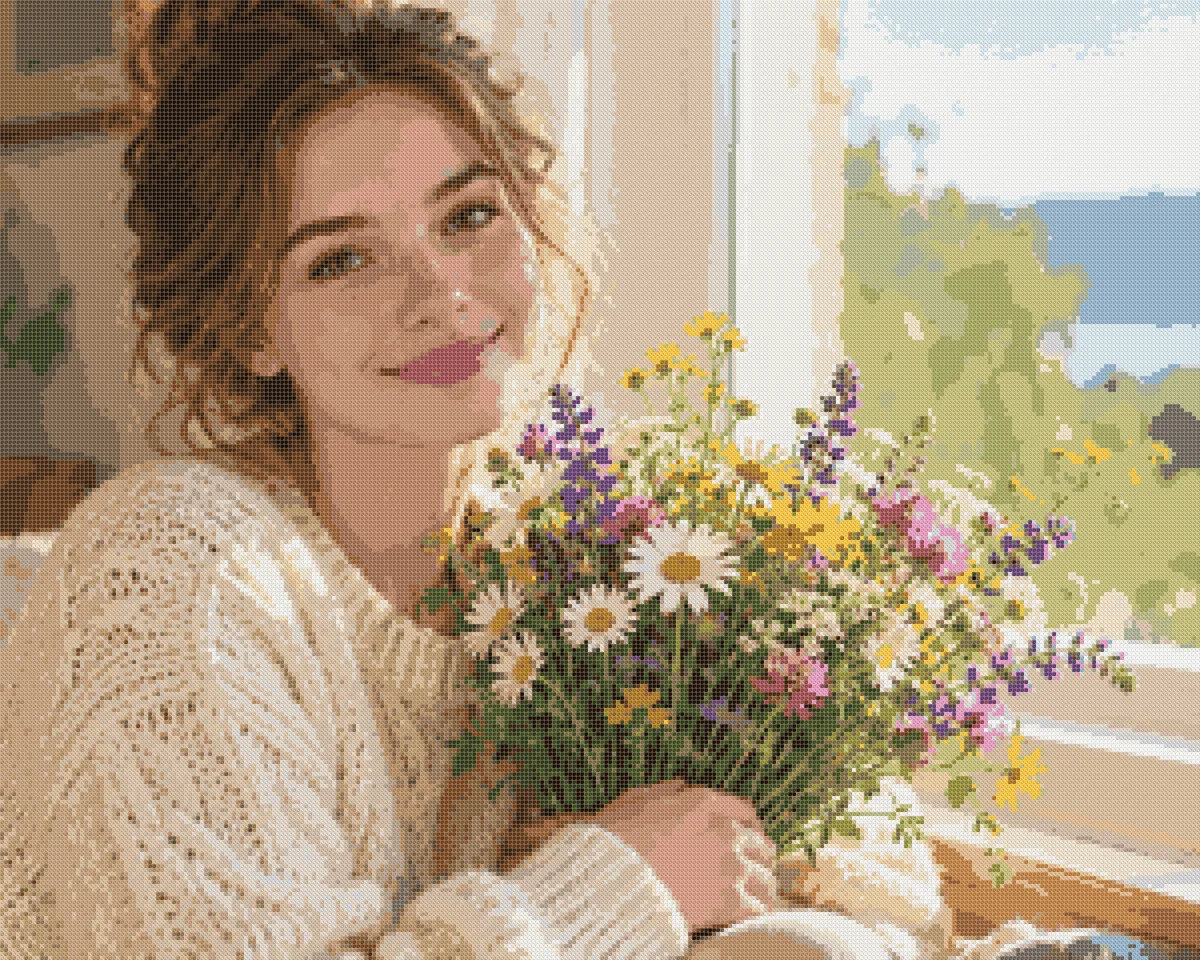
Group pictures need wider grid sizes because available fabric detail divides among multiple faces. If a single person needs 80 squares across to look clear, two people side by side need at least 160 squares of width. Squeezing a family of four into a 100-square chart leaves only 20 squares per face, turning eyes into single dark dots.
When designing personalized cross stitch patterns for families, pick photos where everyone sits in similar light. If one person stands in bright sun while another sits in shade, the color picker splits thread shades between two extremes. Balanced lighting across every face ensures smooth skin tones across the entire piece. You can also explore pet portrait cross stitch patterns if you want to include family dogs or cats alongside human subjects.
Picking the right grid size sets the clarity of your piece and dictates how many hours you will spend on it. Beginners often choose small patterns hoping for a quick project, only to find the finished face lacks expression. Balancing grid width against your available crafting time helps you complete a lovely portrait without feeling overwhelmed.
A cross stitch house portrait captures childhood homes, first apartments, and wedding venues with crisp detail. Buildings feature straight rooflines, window panes, and brick layers that align naturally with the square weave of Aida cloth.
Follow these steps to convert a building photo cleanly:
Unlike faces with delicate skin tones, buildings work well at modest sizes. A brick home looks crisp at 120 to 150 squares wide, making it a wonderful gift for housewarming parties or family anniversaries. Stitchers who enjoy architectural projects can also consult our step-by-step pattern creation guide for extra layout advice.
Grid width determines whether your needlework shows subtle smiles or simple silhouettes. When setting up a custom cross stitch portrait, choose a width that matches the number of people in the image. Single faces need greater relative width than buildings or full-length body shots.
Use these proven sizing targets for your projects:
Our pattern converter handles custom widths from 10 up to 300 squares, with a total limit of 90,000 crosses per design. You can also visit our general photo to cross stitch pattern converter for scenic views or artistic prints that follow different color rules.
Our converter processes your uploaded photo directly inside your web browser before creating any PDF files. The browser engine uses Median Cut quantization followed by k-means clustering to map digital RGB pixels directly to real DMC thread skeins. This prevents arbitrary color choices and merges duplicate thread matches automatically.
In our benchmark tests across 11 local sample photos (including human portraits, pet coats, and transparent images), calculating a 100-square design with 30 colors took 47 milliseconds or less in Node. The mean CIEDE2000 color difference ranged between 1.8 and 6.8 across all test pictures. Highly saturated blues are limited by real-world thread dyes, as the nearest DMC manufactured floss sits about 8 delta-E from bright digital cyan. Aside from these physical thread boundaries, our software maps skin shades and shadow tones with dependable accuracy.
Fabric count controls the real size of your finished embroidery, completely separate from the stitch count on your chart. A chart that measures 150 crosses wide spans 10.7 inches on 14-count Aida, but shrinks to 8.3 inches on 18-count cloth. Checking these measurements before you begin ensures your completed portrait fits standard frames without trimming.
Standard Aida fabric count tells you how many woven squares fit into one linear inch. To calculate finished width, divide total horizontal crosses by your fabric count. For example, 140 crosses divided by 14 equals exactly 10.0 inches (25.4 cm). Always add 2 to 3 inches of blank fabric around every edge so you have enough cloth to lace around mounting board or stretch inside a hoop.
The table below shows finished sizes and suggested color limits across common portrait projects:
| Portrait Type | Stitch Grid | Total Stitches | 14-Count Aida Size | 16-Count Aida Size | 18-Count Aida Size | DMC Colors |
|---|---|---|---|---|---|---|
| Solo Face | 100 × 120 | 12,000 | 7.1 × 8.6 in (18.1 × 21.8 cm) | 6.3 × 7.5 in (15.9 × 19.1 cm) | 5.6 × 6.7 in (14.1 × 16.9 cm) | 30–35 |
| Solo Detailed | 150 × 180 | 27,000 | 10.7 × 12.9 in (27.2 × 32.7 cm) | 9.4 × 11.3 in (23.8 × 28.6 cm) | 8.3 × 10.0 in (21.2 × 25.4 cm) | 35–45 |
| Couple Portrait | 180 × 140 | 25,200 | 12.9 × 10.0 in (32.7 × 25.4 cm) | 11.3 × 8.8 in (28.6 × 22.2 cm) | 10.0 × 7.8 in (25.4 × 19.8 cm) | 40–45 |
| Family Group | 240 × 180 | 43,200 | 17.1 × 12.9 in (43.5 × 32.7 cm) | 15.0 × 11.3 in (38.1 × 28.6 cm) | 13.3 × 10.0 in (33.9 × 25.4 cm) | 45–50 |
| Home & Garden | 140 × 100 | 14,000 | 10.0 × 7.1 in (25.4 × 18.1 cm) | 8.8 × 6.3 in (22.2 × 15.9 cm) | 7.8 × 5.6 in (19.8 × 14.1 cm) | 25–30 |
Fine fabrics like 18-count Aida condense large grids into modest frame dimensions, making individual stitches blend smoothly from normal room distance. If you prefer larger fabric holes that are easy to see under an evening lamp, 14-count Aida provides fast needle passes and comfortable stitching.
Handmade needlework needs realistic calendar planning when you make gifts for weddings, holidays, or retirement parties. Stitching speed varies widely from person to person, so measure your own pace instead of trusting a generic average.
Stitch one 10 × 10 block (100 stitches) from a busy area of your chart and time it. Multiply that time by the total stitch count shown in the preview, then divide by 100. A 12,000-stitch solo face equals 120 such blocks, so a 20-minute block means about 40 hours of stitching.
Allow two extra weeks for hand-washing, damp pressing, and frame mounting. When you need the chart itself quickly, our online tool lets you test and download it in minutes. You can compare DIY pattern makers against commissioned designers in our custom cross stitch patterns guide.
Our cross stitch portrait maker focuses on counted full crosses generated directly from image pixels. Knowing the real limits of automated photo conversion helps you plan your finished embroidery with confidence.
Keep these technical boundaries in mind before you start:
If your gift requires names, wedding vows, or dates, leave two inches of plain cloth below the portrait. You can stitch letters by hand using an alphabet sampler from a craft book. Combining automated color matching with hand-stitched text yields an elegant keepsake for your family. A group photo has its own notes on the family portrait cross stitch page, and a facade photo is covered under house portrait cross stitch.
Follow this quick preparation checklist before making your chart:
A single face requires at least 80 to 100 squares across to render eyes, lips, and subtle nose shading cleanly without blurry pixelation. For a standard head-and-shoulders portrait on 14-count Aida, a grid 100 crosses wide measures 7.1 inches (18.1 cm) across. Family or couple portraits need 180 to 250 crosses wide so each individual face receives sufficient grid resolution.
The generator converts your image pixels to CIELAB color space and calculates the CIEDE2000 color difference against 489 six-strand DMC embroidery floss colors. It groups adjacent tones using Median Cut and k-means clustering. In our benchmark tests across 11 sample images, this matching produced an average color error of only 1.8 to 6.8 delta-E, blending delicate facial highlights and natural cheek shadows accurately.
No, the pattern generator does not generate backstitch lettering, text overlays, or font scripts. It translates photograph pixels directly into full crosses. If you want to add names, birthdates, or wedding anniversaries to your finished piece, leave a 20-row border below the portrait and add the letters by hand using a standard alphabet chart.
Yes, house portraits convert exceptionally well because buildings feature straight architectural lines and distinct contrast between siding, roofs, and windows. For the best result, take a straight-on daytime photo, crop away excess lawn or sky, and set the palette to 25 or 30 DMC colors to capture masonry textures and foliage gradients.
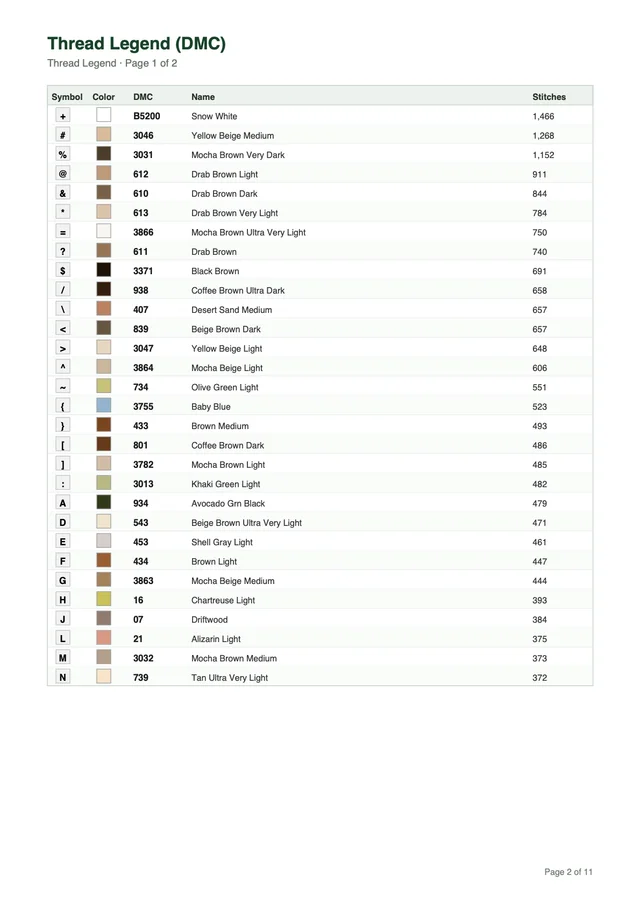
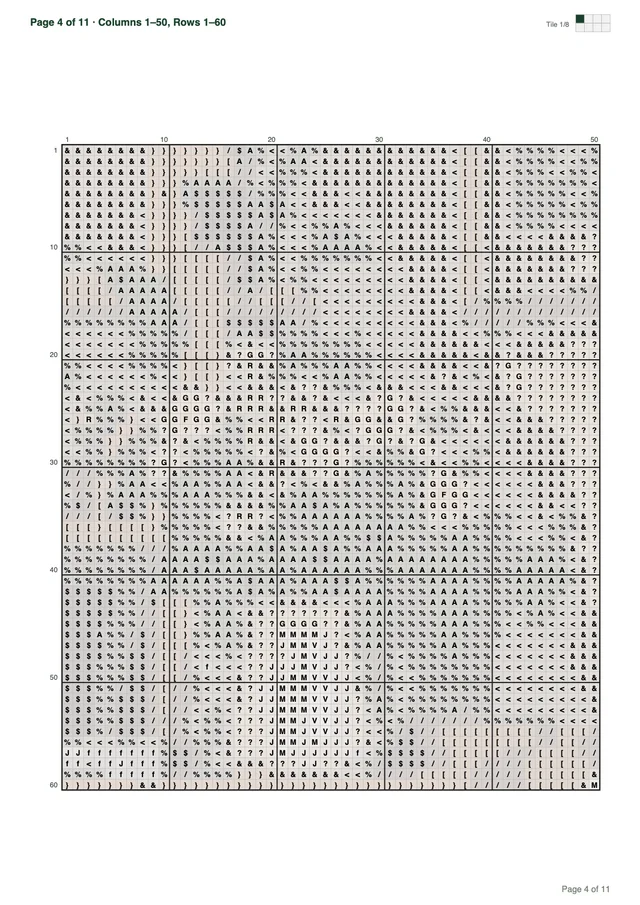
Every downloaded PDF comes formatted in Letter or A4 paper size. It includes a cover page showing an artwork preview, dimensions in stitches, total stitch count, number of DMC colors, and finished sizes for Aida 14, 16, and 18. Thread legend pages follow with each symbol, swatch, DMC code, color name, and exact stitch count. The document then provides as many tiled symbol chart pages as your pattern dimensions require (the 200 × 113 sample is 11 pages total), complete with bold grid lines every 10 stitches, edge coordinates, and an overview minimap.
Creating a personalized portrait cross stitch pattern lets you turn meaningful family milestones, wedding memories, and childhood photos into heirloom needlework. Set your grid dimensions, inspect the live DMC thread palette in your browser, and download a ready-to-stitch PDF pattern with your free starter credits today.
Try for freeUpload a photo and see your pattern in seconds. No account needed to preview.