1 pattern
For one project
$5.99USD
$5.99 per pattern
Buy 1 patternTurn personal photos, pet portraits, and family moments into a custom cross stitch pattern in minutes, with full DMC floss matching and instant PDF export.
Upload a photo and see your pattern in seconds. No account needed to preview.
Upload a portrait, pet or landscape. The studio opens with your photo: crop it, choose the size and colours, and check the printable PDF. No account needed until you download.
Rather chart it yourself? Start from a blank grid
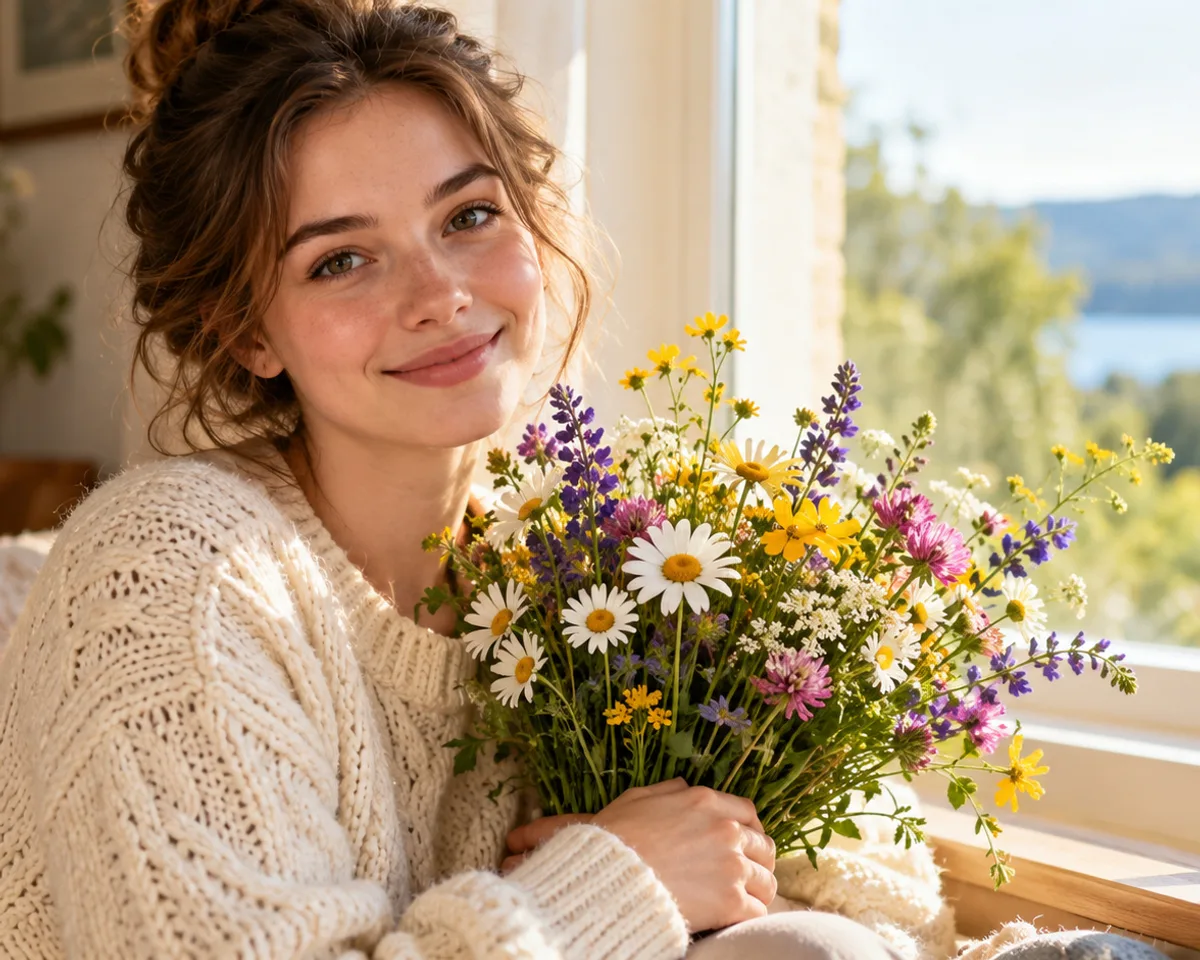
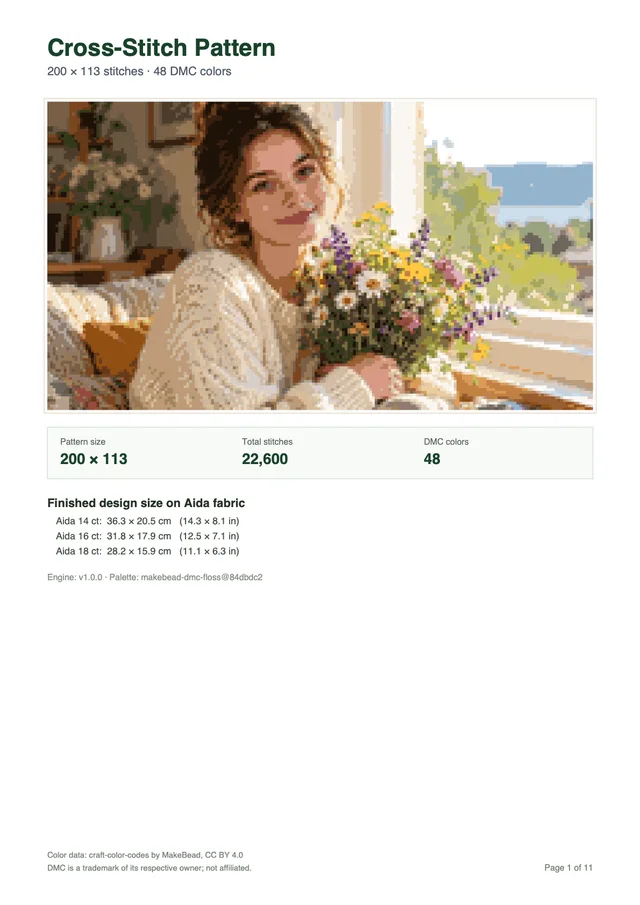
Every download is a multi-page PDF built from your pattern, not a screenshot. This sample was made from the photo above.
Want a different subject? Browse all 67 free patterns
Previewing is free. You pay only when you download a new pattern.
Your first pattern is free Sign up and get 1 credit. No card needed.
Make my patternFor one project
$5.99USD
$5.99 per pattern
Buy 1 patternOne for you, two to give
$12.99USD
$17.97 if bought one by oneSave 27%
$4.33 per pattern
Buy 3 patternsFor the whole family
$19.99USD
$35.94 if bought one by oneSave 44%
$3.33 per pattern
Buy 6 patternsPrices in USD, excluding tax: VAT or sales tax is added at checkout where it applies. Payments by Paddle, our merchant of record. By buying you agree to the Terms of Service and the Refund Policy.
A personalized embroidery chart translates your specific image into a workable grid tailored to your chosen fabric count, dimensions, and embroidery thread palette. Instead of adapting your project to commercial charts with fixed dimensions, you decide the exact grid size, color saturation, and physical display size. Creating a bespoke chart involves balancing image resolution with needlework practicality.
Grid width determines the physical size of your embroidery project once it is worked onto fabric. The Cross Stitch pattern maker offers width presets of 50, 80, 100, 150, and 200 squares, or custom widths from 10 to 300 squares up to a maximum of 90,000 total stitches. Selecting the right width depends on how much fine detail your picture carries and which fabric weave you prefer to handle.
To calculate the finished dimensions of your needlework, divide the stitch count across each axis by the thread count of your chosen Aida fabric. For instance, a design measuring 140 stitches across worked on 14-count Aida finishes at exactly 10.0 inches (25.4 cm) wide. The same 140 stitches worked on tighter 18-count Aida finishes at 7.8 inches (19.8 cm) wide. Needleworkers typically add 2.0 to 3.0 inches (5.0 to 7.5 cm) of unworked fabric margin on every side to accommodate mounting hoops and framing borders.
| Stitch Width | 14-Count Aida Size | 16-Count Aida Size | 18-Count Aida Size | Recommended Margin Per Side |
|---|---|---|---|---|
| 50 stitches | 3.6 in (9.1 cm) | 3.1 in (7.9 cm) | 2.8 in (7.1 cm) | 2.0 in (5.1 cm) |
| 80 stitches | 5.7 in (14.5 cm) | 5.0 in (12.7 cm) | 4.4 in (11.2 cm) | 2.5 in (6.4 cm) |
| 100 stitches | 7.1 in (18.1 cm) | 6.3 in (16.0 cm) | 5.6 in (14.1 cm) | 2.5 in (6.4 cm) |
| 150 stitches | 10.7 in (27.2 cm) | 9.4 in (23.8 cm) | 8.3 in (21.2 cm) | 3.0 in (7.6 cm) |
| 200 stitches | 14.3 in (36.3 cm) | 12.5 in (31.8 cm) | 11.1 in (28.2 cm) | 3.0 in (7.6 cm) |
If you are new to selecting fabrics, read our guide on how to make a cross stitch pattern for cloth comparisons.
Converting photographic pixels into thread requires matching RGB colors to standard six-strand cotton embroidery floss. The pattern generator maps colors in the CIELAB color space using the CIEDE2000 color difference formula. It matches each shade against 489 DMC threads from the MakeBead dmc-floss dataset, available under the Creative Commons CC BY 4.0 license. Palette reduction combines Median Cut and k-means clustering to combine visually redundant shades while merging duplicate color assignments.
In our test across 11 local sample photos at 100 stitches wide and 30 maximum colors, the conversion algorithm produced a mean CIEDE2000 color error between 1.8 and 6.8 per image. Each pattern computed in 47 ms or less in Node. Certain vibrant screen tones encounter physical limits in dyed cotton. Highly saturated blues are limited by the physical DMC floss collection itself, where the nearest real-world thread sits roughly 8 Delta E 2000 units away from an ultra-vivid monitor pixel. You can select color presets of 10, 20, 30, 40, or 50 colors, or set a custom palette between 2 and 50 DMC colors to match your crafting stamina.
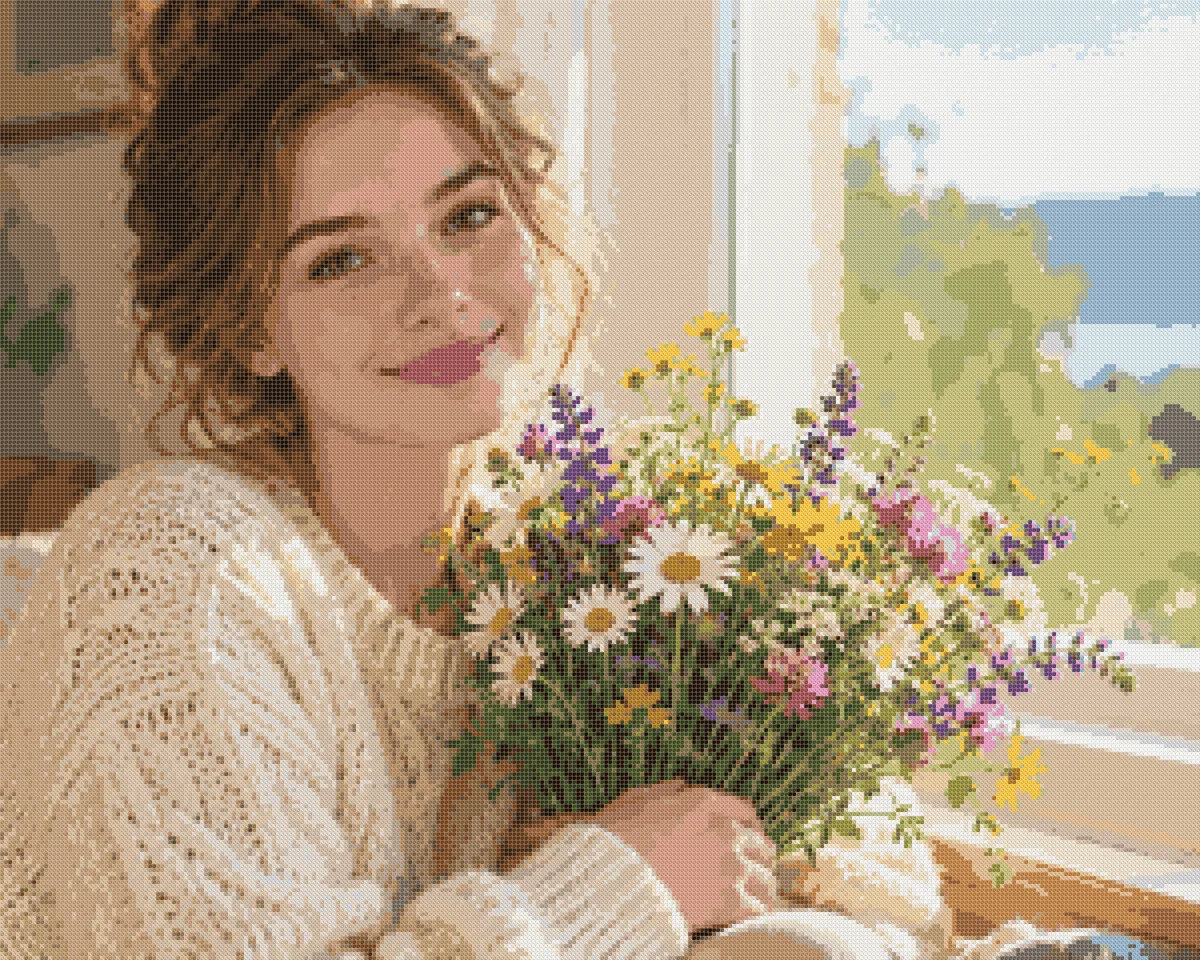
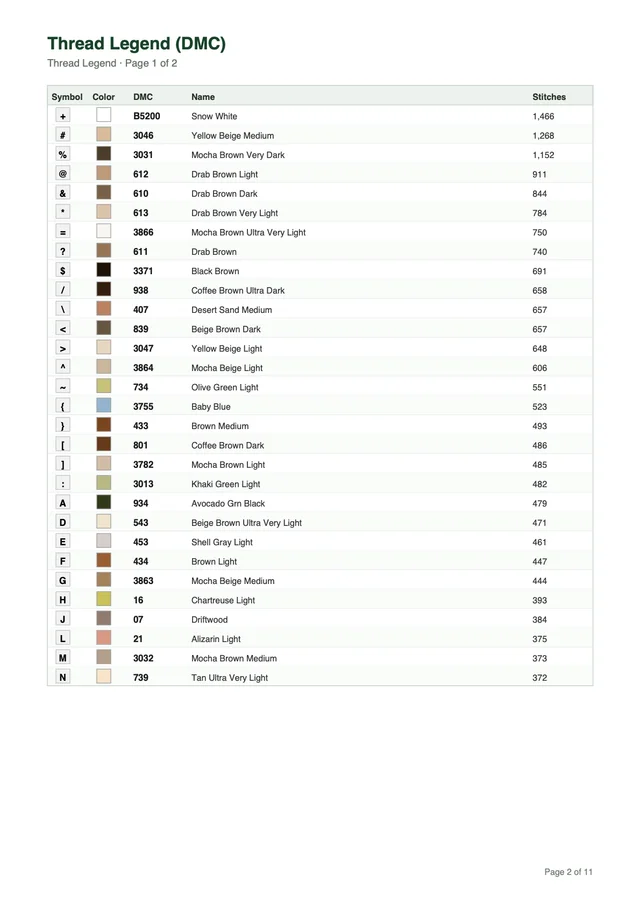
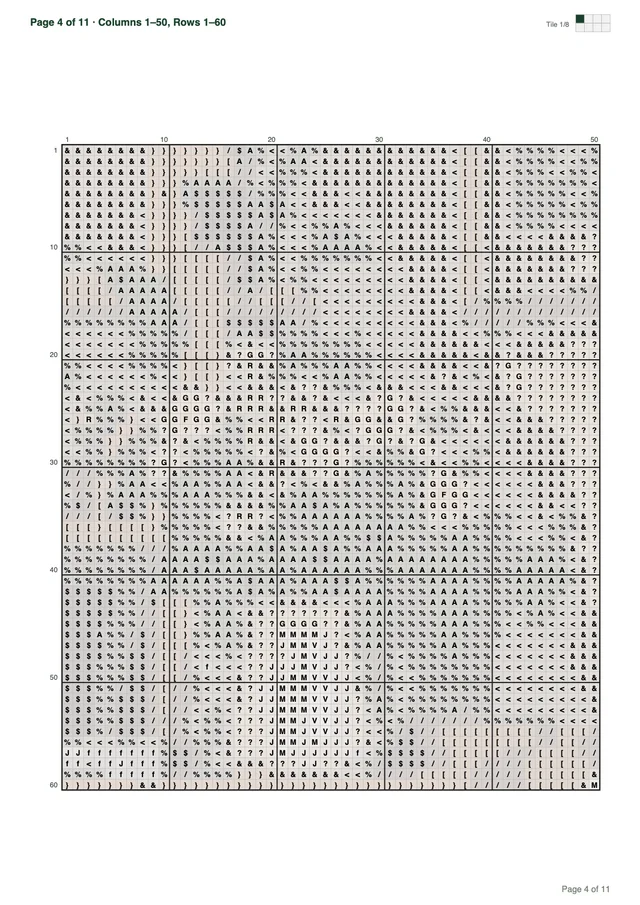
A complete counted chart provides all the information needed to work smoothly without guessing symbol meanings or page boundaries. Before purchasing thread or beginning your first row, verify that your pattern file includes five structural elements:
Our sample pattern demonstrates these elements across an A4 document with 200 by 113 stitches and 48 DMC colors arranged over 11 printable pages.
Choosing between an online custom cross stitch pattern maker and commissioning an independent designer comes down to turnaround speed, budget, and pattern style. An automated converter produces a full symbol chart in seconds from your uploaded file, while a human chart designer crafts each grid square by hand. Understanding the strengths and trade-offs of both options ensures you choose the right approach for your embroidery goals.
Browser-based pattern generators give crafters instant feedback and total control over photo cropping, dimensions, and color counts. You upload an image file up to 20 MB and 8,000 pixels per side, crop the subject with interactive handles, and inspect the rendered pattern immediately on your screen. The calculation executes directly in your browser, enabling you to test multiple crop boundaries and palette limits in real time.
You can switch between artwork preview and symbol chart view, zoom in to examine individual symbols, and verify floss counts before spending a credit. Signing up with Google grants 1 free credit, and downloading a new multi-page PDF pattern costs 1 credit. Repeat downloads of your previously generated charts cost nothing. If your subject is an animal or outdoor snapshot, explore our specialized guides for photo to cross stitch pattern conversion and pet portrait cross stitch patterns for lighting recommendations.
Commissioning an independent fiber artist on platforms like Etsy is the better route when your piece requires manual drafting, lettering, or backstitch outlines. Independent designers review your reference photo and make qualitative artistic judgments that algorithmic converters cannot replicate.
Human chart designers provide distinct capabilities that automated tools do not offer:
These artistic refinements require substantial manual labor, so a commission means waiting for the designer’s turnaround, and revisions may add fees. If your project demands custom calligraphy or intricate line work, paying an experienced designer is well worth the investment. A saying prepared as an image is covered on the cross stitch quote pattern page, a short scripture image on the bible verse cross stitch pattern page, and a public-domain artwork file under famous painting cross stitch.
Reviewing key capabilities side by side helps you determine whether an automated generator or a commissioned designer fits your specific embroidery goals. Both options deliver high-quality results, but they serve completely different creative priorities and timelines. While web tools provide instant charts for photographic art, human artists shine when a project calls for personalized text, delicate outlines, or artistic simplification.
| Project Feature | DIY with Cross Stitch Pattern Maker | Commissioning an Etsy Designer |
|---|---|---|
| Chart Generation Speed | Instant browser calculation (≤47 ms in our benchmark tests) | Depends on the designer’s queue and revision rounds |
| Interactive Chart Preview | Full zoom, pan, symbol grid, and color legend before download | Static mockup images or drafts exchanged over messages |
| Palette Customization | 2 to 50 DMC colors with CIEDE2000 mathematical matching | Customized by designer, usually with fixed color tiers |
| Fine Backstitch Outlines | Not supported (full cross stitches only) | Hand-drafted backstitch for fine facial features and borders |
| Lettering and Text Insertion | Not supported (photo and image conversion only) | Custom typography for names, wedding dates, and quotes |
| Confetti Stitch Management | Automated color clustering via Median Cut and k-means | Manual single-stitch cleanup and cluster grouping by hand |
| Fractional Stitches & French Knots | Not supported (standard full cross stitches only) | Hand-placed quarter stitches, half stitches, and knots |
| Project Storage and Revisions | Instant on-screen re-cropping; repeat PDF downloads cost 0 credits | Revisions requested through designer messages; may incur fees |
| File Delivery Format | Multi-page PDF (Letter or A4) with legend and coordinate minimap | Digital PDF via email or download link; occasionally printed sheets |
Custom counted cross stitch patterns allow you to transform meaningful family memories, pet snapshots, and personal artwork into heirloom needlework. Because you control the dimensions and color count from the start, you can size your pattern to fit standard household accessories, photo frames, and decorative hoops without cutting or folding stitched fabric.
A custom cross stitch pillow creates a tactile, decorative accent for your sofa or bed using a favorite photograph. Standard square accent cushions typically measure 14 by 14 inches (35.6 by 35.6 cm) or 16 by 16 inches (40.6 by 40.6 cm).
To create a 14-inch cushion cover on 14-count Aida cloth, target a pattern width of 196 stitches (196 stitches divided by 14 stitches per inch equals exactly 14.0 inches). Selecting our 200-stitch preset produces a design measuring 14.3 by 14.3 inches, which fills a standard 14-inch pillow form with a snug, plump fit. If you prefer to stitch on 16-count Aida, a 200-stitch pattern finishes at 12.5 inches square. Always cut your backing fabric with an extra 2.5 to 3.0 inches of seam allowance on every side to sew a zipper or envelope closure without catching embroidery threads in the seam.
Framed portrait needlework turns wedding photographs, graduation milestones, and family reunions into enduring handmade art. Standard store-bought frames offer rectangular openings such as 5 by 7 inches, 8 by 10 inches, or 11 by 14 inches.
Working on 18-count Aida cloth allows you to pack high facial definition into moderate frame dimensions. A portrait charted at 144 by 180 stitches on 18-count Aida finishes at 8.0 by 10.0 inches (20.3 by 25.4 cm). This dimension fits directly into a standard 8 by 10 inch photo frame without custom matting. On 14-count Aida, a 100 by 140 stitch chart finishes at 7.1 by 10.0 inches. When converting portraits of people, consult our dedicated portrait cross stitch pattern guide for tips on rendering natural skin tones across cheeks and foreheads.
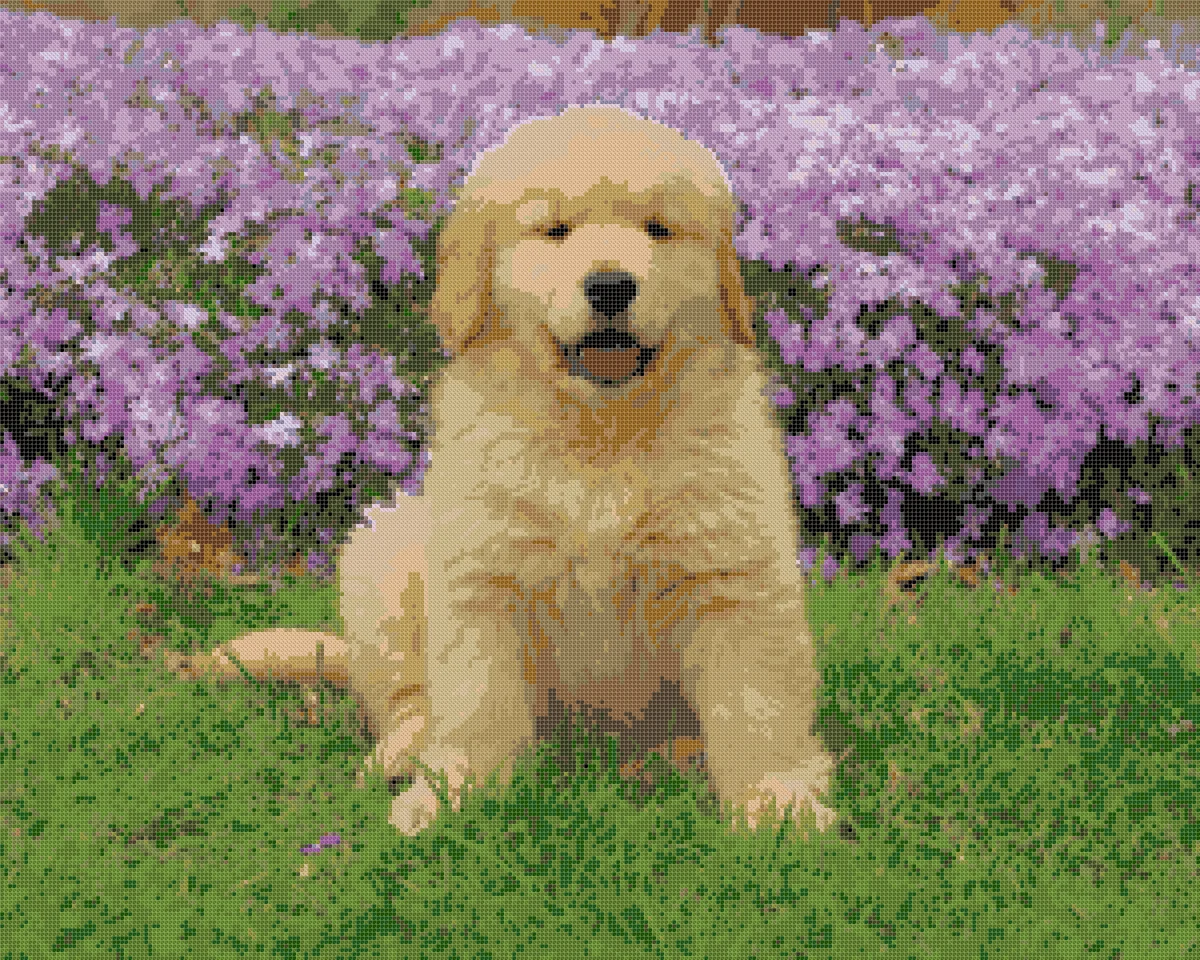
Small embroidery hoops make charming holiday tree ornaments, commemorative gift tags, and desktop keepsakes. Standard miniature circular wooden hoops measure 3.0 inches (7.6 cm) or 4.0 inches (10.2 cm) in diameter.
On 18-count Aida fabric, a 50-stitch-wide design measures 2.8 inches (7.1 cm) across, fitting neatly inside a 3.0-inch embroidery hoop ornament if you crop your photo square or round-friendly. On 14-count Aida, a 50-stitch crop finishes at 3.6 inches (9.1 cm), suited for a 4.0-inch hoop display. Miniature patterns work best when cropped tightly around high-contrast focal points, such as a pet’s face, an architectural doorway, or a simple botanical bloom.
Preparing your digital photo before conversion dramatically improves clarity and prevents muddy colors in your final chart. Because photographic conversion maps individual pixel groups to single cross stitches, high-contrast source images produce cleaner charts than flat, shadowy pictures.
Follow these practical guidelines when preparing your image:
Yes. You can upload digital photos in JPEG, PNG, or WebP format up to 20 MB and 8,000 pixels per side. The browser pattern maker lets you crop the image, choose your grid dimensions from 10 to 300 squares, and select between 2 and 50 DMC floss colors.
A DIY browser tool generates your chart instantly and allows unlimited interactive previews with exact DMC color matching. In contrast, a commission means waiting for the designer's turnaround, though an artist can add hand-drawn backstitch outlines or lettering.
Divide your stitch count by your fabric count. For example, a 196 by 196 square design on 14-count Aida measures exactly 14 by 14 inches. Add 2 to 3 inches of fabric allowance on each side for sewing seams and finishing your pillow cushion.
No. The tool focuses strictly on full counted cross stitches mapped to DMC embroidery floss. It does not generate backstitch outlines, French knots, fractional stitches, or custom alphabet text.
You receive 1 free credit upon creating an account with Google. Each new custom pattern PDF download costs 1 credit. Repeat downloads of your previously generated PDF patterns cost nothing.
Creating your own custom cross stitch pattern gives you complete creative control over your needlework project from the very first stitch. Upload your favorite picture, dial in the exact dimensions and floss palette for your fabric, and preview every symbol before generating your PDF. Sign up to claim your free credit and turn your cherished photo into a bespoke counted chart today.
Try for freeUpload a photo and see your pattern in seconds. No account needed to preview.