1 pattern
For one project
$5.99USD
$5.99 per pattern
Buy 1 patternCrop to the faces, keep 30 to 45 DMC colors, and preview the chart before you download the PDF.
Upload a photo and see your pattern in seconds. No account needed to preview.
Upload a portrait, pet or landscape. The studio opens with your photo: crop it, choose the size and colours, and check the printable PDF. No account needed until you download.
Rather chart it yourself? Start from a blank grid
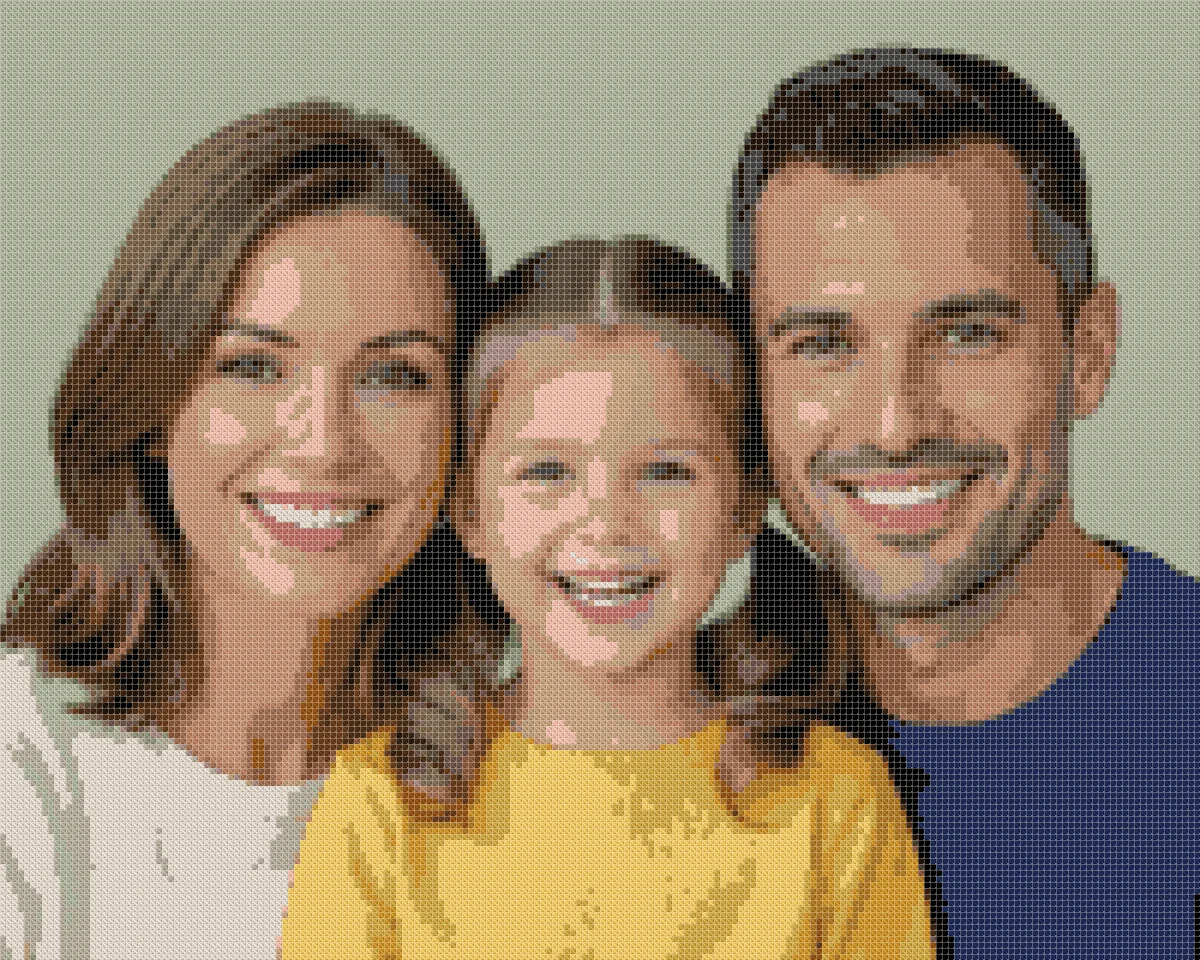
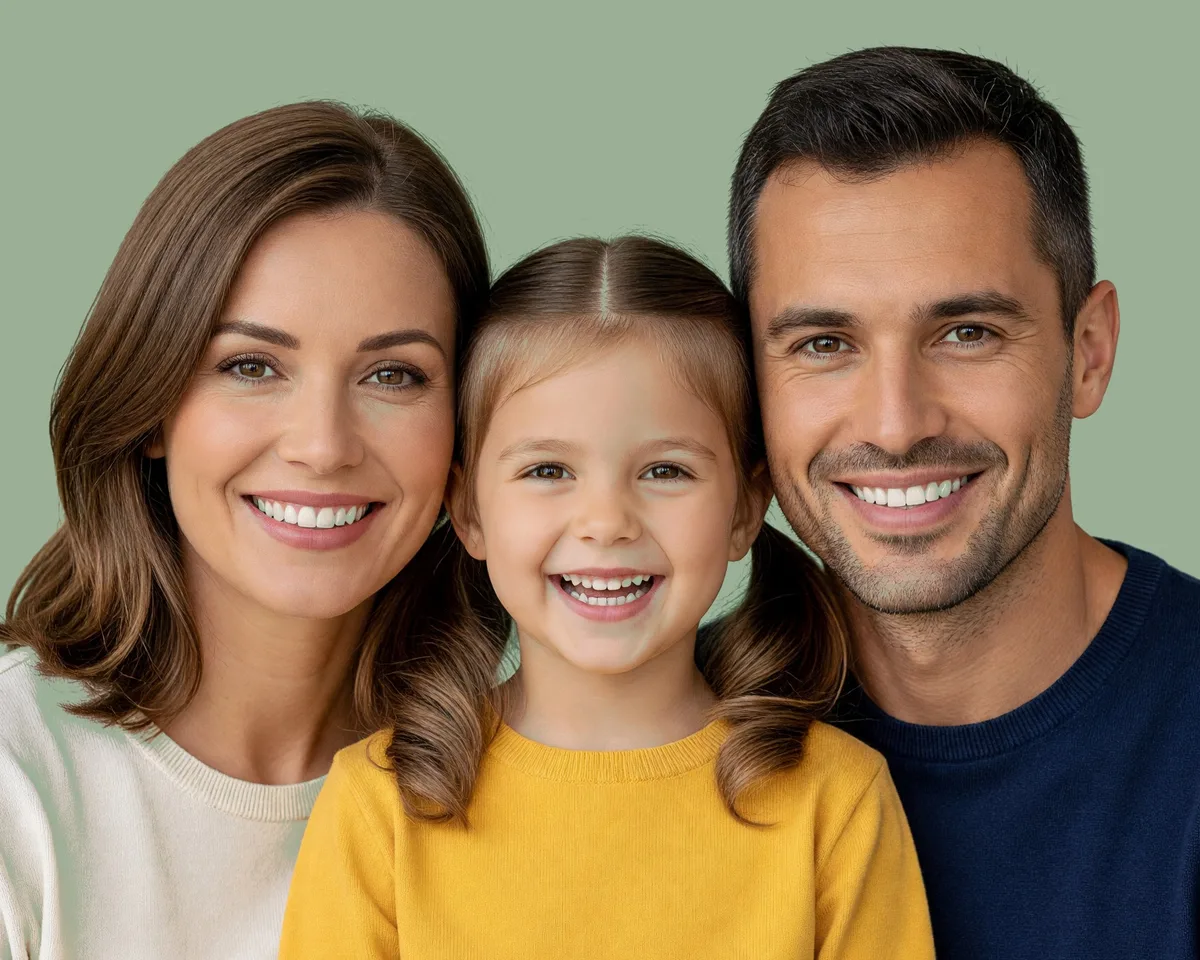
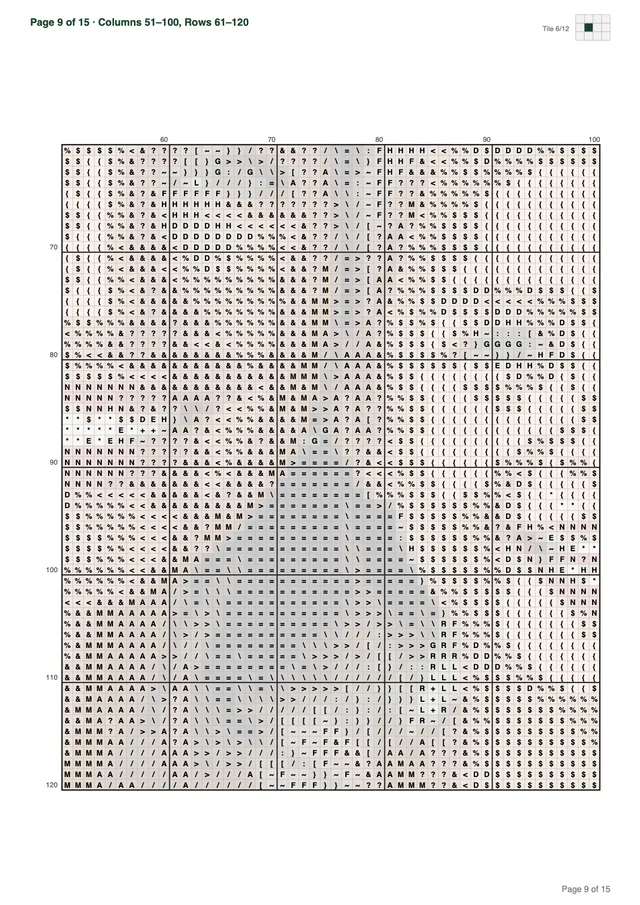
Every download is a multi-page PDF built from your pattern, not a screenshot. This sample was made from the photo above.
Want a different subject? Browse all 67 free patterns
Previewing is free. You pay only when you download a new pattern.
Your first pattern is free Sign up and get 1 credit. No card needed.
Make my patternFor one project
$5.99USD
$5.99 per pattern
Buy 1 patternOne for you, two to give
$12.99USD
$17.97 if bought one by oneSave 27%
$4.33 per pattern
Buy 3 patternsFor the whole family
$19.99USD
$35.94 if bought one by oneSave 44%
$3.33 per pattern
Buy 6 patternsPrices in USD, excluding tax: VAT or sales tax is added at checkout where it applies. Payments by Paddle, our merchant of record. By buying you agree to the Terms of Service and the Refund Policy.
The Cross Stitch pattern maker charts a family portrait cross stitch by converting image pixels into counted full crosses. Clean daylight and close framing preserve facial expressions across the grid.
You can upload any clear group photograph in JPEG, PNG, or WebP format up to 20 MB and 8,000 pixels per side. The preview runs directly in the browser so you can adjust dimensions before spending a credit. When you sign up with Google, our website provides 1 free credit to download your first finished chart.
Balanced daylight across every face remains essential when preparing a group picture for needlework. If one person stands under direct sunshine while another sits in porch shade, the software splits the color palette between extreme highlights and deep shadows. Soft, indirect morning light or light overcast skies illuminate cheeks and eye sockets evenly without harsh contrasts.
Color temperature from indoor lamps can distort natural skin complexions before processing begins. Incandescent light casts yellow tones across cheeks, while fluorescent bulbs create pale or greenish tints. Natural outdoor light or window daylight produces the most accurate RGB color values for digital conversion.
Position your camera three to five feet away from the group rather than snapping from across a large yard. Taking a photo from twenty feet back reduces each individual head to a tiny cluster of digital pixels. Standing close captures distinct eye highlights, eyelid curves, and genuine smiles that translate cleanly into thread coordinates.
Uncompressed camera photos produce vastly superior needlework charts compared to compressed mobile screenshots. Messaging applications compress image files aggressively, introducing blurry compression artifacts around hairlines and jaw contours. Using an original camera file ensures that the converter analyzes clean, uncorrupted pixel values.
The Cross Stitch pattern maker maps source colors directly to the standard cotton thread catalog. It converts each pixel value into CIELAB color space using the CIEDE2000 formula. Colors match against 489 shades from the MakeBead dmc-floss dataset, published under the CC BY 4.0 license. This mathematical comparison preserves delicate transitions across cheek highlights and jawlines.
Palette reduction uses a blend of Median Cut and k-means clustering to select the most visually important thread shades. Our team tested 11 local photos at 100 stitches wide and 30 max colors, recording mean CIEDE2000 errors between 1.8 and 6.8 with processing speeds under 47 ms in Node. Saturated cyan can sit about 8 Delta E from screen blue, but natural skin tones match closely.
Preparing your picture carefully before chart generation saves hours of unstitching on the fabric. Keep the following four photo requirements in mind when selecting your file:
If your chosen photograph contains only a single subject, a dedicated portrait cross stitch pattern provides ample space at smaller widths. Group compositions require more careful planning because each additional person divides the available grid area. Understanding how many heads a grid can support prevents muddy, unreadable embroidery.
A standard grid comfortably holds two or three human faces. Fitting more than four faces into ordinary chart dimensions reduces eyes and mouths to unreadable pixel clusters.
Every recognizable face requires a minimum width on the grid to remain clear. A human eye needs at least four to five stitches across to show a pupil, iris color, and upper lid line. If a head receives only fifteen total stitches of width, the software must render the entire eye as one dark dot.
Squeezing four or five people side by side across a 150-stitch width divides that space too thinly. Each person receives roughly thirty stitches across their hair, ears, cheeks, and features. At that low resolution, smiles become jagged lines, nostril curves disappear, and adjacent heads blur together into indistinguishable blobs.
Cropping your image to two or three faces preserves individual character and distinct expressions. Focusing on a married couple, a parent holding a baby, or two siblings lets you dedicate fifty to seventy stitches to each head. That density renders fine details like smile lines, dimples, and parted lips with satisfying clarity.
The physical arrangement of subjects also determines how efficiently your stitches capture facial features. Posing family members with heads close together vertically and horizontally eliminates wasted empty space between ears. A parent holding a toddler on their lap creates a tight composition that maximizes thread coverage across both faces.
If you must include four or more family members, you need to expand your overall canvas width. The Cross Stitch pattern maker provides width presets of 50, 80, 100, 150, and 200 stitches, alongside custom widths from 10 to 300 stitches. A custom width of 240 to 300 stitches gives a larger group enough physical space to remain legible.
Keep in mind that our website enforces a hard cap of 90,000 total stitches per chart. A design measuring 300 stitches wide by 250 stitches tall reaches 75,000 stitches, which fits within the processing limit. However, working tens of thousands of counted crosses requires months of dedicated stitching time.
Always frame family members from the chest up rather than capturing full-length standing poses. Full-body shots waste valuable grid squares on shoes, trousers, and empty floor space. Cropping tightly around the faces ensures that every square of your stitch budget contributes directly to facial recognition.
When you want to test whether an image possesses enough resolution for a wide group, our photo to cross stitch pattern converter lets you preview the full symbol chart instantly. You can zoom in on individual eyes and lips directly on your screen to verify sharpness before threading a needle.
Group portraits need 30 to 45 DMC colors and tight facial crops. Fabric count then dictates whether the resulting grid fits an eight-by-ten or eleven-by-fourteen frame.
Human skin contains subtle warmth, pink undertones, and gentle umber shadows that require sufficient palette depth. Limiting a group chart to 10 or 20 colors forces adjacent skin shades into harsh, blotchy steps. Selecting 30 to 45 DMC colors provides enough intermediate tones for realistic cheek contours and natural foreheads across different complexions.
Different family members within a single portrait often display contrasting skin tones, hair colors, and eye shades. A child may have rosy cheeks and fair hair, while an older relative has silver hair and deeper laugh lines. A palette of 35 to 45 colors supplies the necessary breadth to honor those generational differences accurately.
The Cross Stitch pattern maker supports custom palettes from 2 to 50 DMC colors, but does not feature a dithering toggle or confetti eraser. Deep pupils and dark hair outlines map cleanly to standard shades like DMC 310 black. Keeping your color budget between 30 and 45 shades prevents excessive single-stitch confetti while preserving essential facial depth.
Cropping away background walls, curtains, and outdoor scenery protects your color budget. Every unnecessary background hue, such as wallpaper stripes or foliage greens, consumes an available palette slot. Trimming the image down to the subjects allows the color reduction algorithm to allocate all 40 thread choices directly to skin, eyes, and hair.
Calculating finished embroidery dimensions requires a simple formula: divide the stitch count along each axis by the fabric count. On 14-count Aida, 50 stitches measure 3.6 inches, 60 stitches measure 4.3 inches, 100 stitches measure 7.1 inches, 200 stitches measure 14.3 inches, and 300 stitches measure 21.4 inches. Always add 2 to 3 inches of spare fabric per side for secure framing.
| Grid Dimensions (Stitches) | Aida Fabric Count | Finished Stitch Area (Inches) | Spare Fabric Margin Per Side | Standard Frame Target |
|---|---|---|---|---|
| 160 × 200 | 14-count Aida | 11.4 × 14.3 in | 2.5 in | 16 × 20 in |
| 160 × 200 | 18-count Aida | 8.9 × 11.1 in | 2.5 in | 12 × 16 in |
| 200 × 240 | 14-count Aida | 14.3 × 17.1 in | 3.0 in | 20 × 24 in |
| 200 × 240 | 18-count Aida | 11.1 × 13.3 in | 3.0 in | 16 × 20 in |
Choosing between 14-count and 18-count cloth alters both your stitching comfort and your finished frame choices. As shown in the table, a 160 by 200 chart stitched on 18-count cloth finishes at 8.9 by 11.1 inches. That compact footprint fits neatly into a standard 12 by 16 inch frame with matting. The same stitch count on 14-count cloth expands to 11.4 by 14.3 inches, requiring a larger 16 by 20 inch frame.
Similarly, a wider 200 by 240 stitch design measures 14.3 by 17.1 inches on 14-count cloth, which demands an expansive 20 by 24 inch frame once borders are mounted. Stitched on 18-count cloth, that same 200 by 240 chart finishes at 11.1 by 13.3 inches, fitting inside a standard 16 by 20 inch frame. Higher fabric counts keep larger multi-person projects manageable on living room walls.
For stitchers who want an in-depth breakdown of cloth weaves, needle sizes, and thread tension, consult our guide on how to make a cross stitch pattern. Beginners often appreciate the larger squares of 14-count Aida, while experienced stitchers prefer 18-count fabric for its dense, painterly finish.
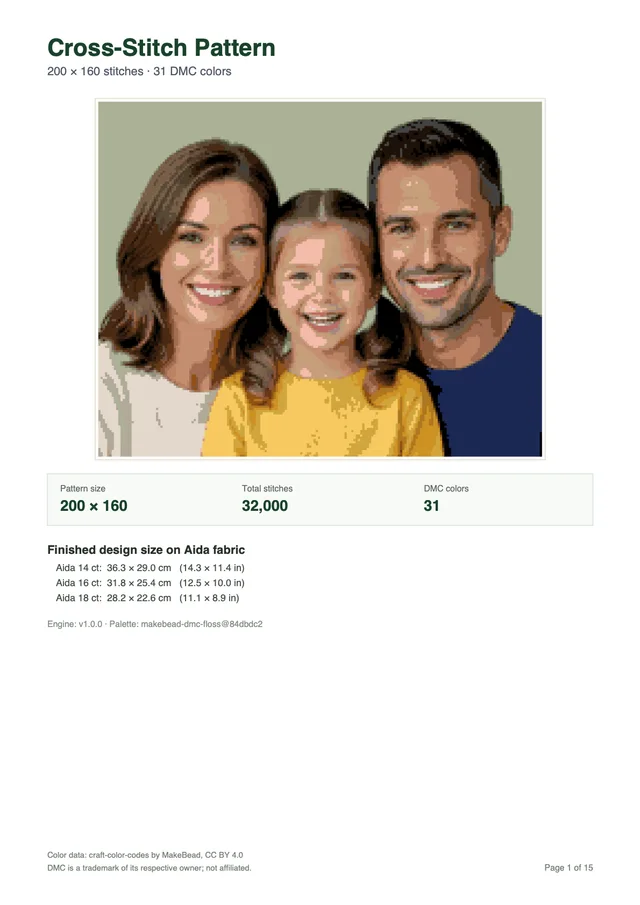
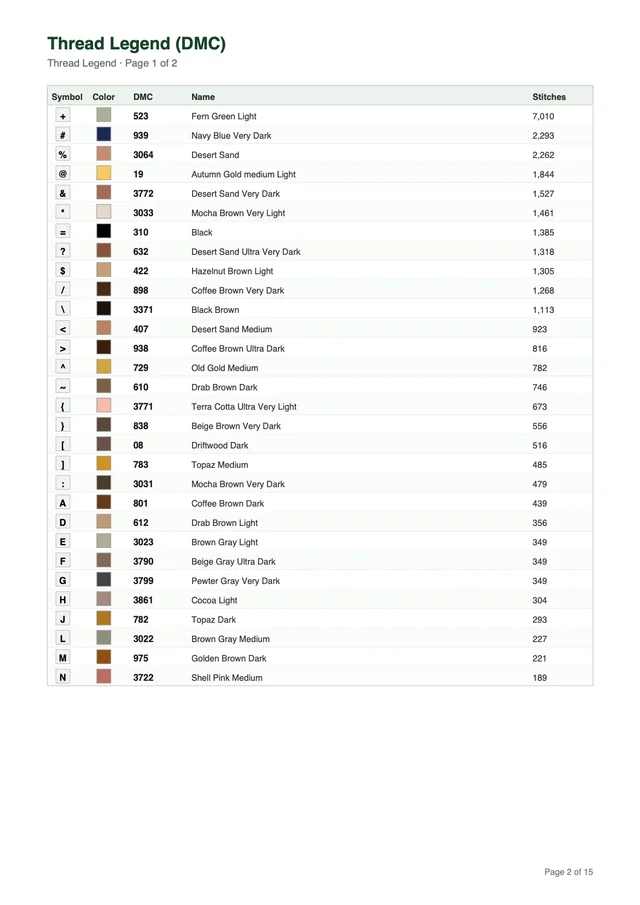
Every generated pattern exports as a comprehensive printable PDF formatted for Letter or A4 paper. The document features an informative cover page, a complete DMC thread legend, tiled symbol chart pages, and an edge minimap. Each chart tile measures 50 stitches wide by 60 tall with bold grid lines every 10 stitches and clear coordinate numbering.
To illustrate the export scale, the family sample above measures 200 by 160 stitches with 31 colors and produces a 15-page printable document. This organized tiling ensures you never lose your place while moving between adjacent sections of the canvas. You can inspect every tile on your screen before picking up your embroidery hoop.
Photo charts reproduce genuine faces, lighting, and expressions from camera files. In contrast, avatar kits assemble cartoon stick figures with generic hairstyles and pre-drawn clothing.
Many people looking for family embroidery projects encounter commercial kits featuring cartoon stick figures. These kits provide pre-printed templates where stitchers pick from a menu of hair styles, eye glasses, and clothing patterns. While stick-figure kits offer a lighthearted craft, they represent a fundamentally different product category from photographic needlework.
The Cross Stitch pattern maker does not build cartoon avatars, offer hair menus, or supply pre-drawn bodies. Our website specializes strictly in translating actual digital photographs into counted full crosses. It does not draw floral borders, clip-art pets, or decorative frames around the subjects.
Family projects often require names, wedding years, or birthdates beneath the portraits. The Cross Stitch pattern maker does not type text, pick fonts, or insert custom lettering onto the chart. If you wish to incorporate family names into your piece, you can chart them using our cross stitch quote pattern generator or stitch letters by hand using a standard alphabet sampler.
Automatic background removal is another feature our pattern maker does not perform. In an avatar kit, figures float against clean white cloth by default. With our photo converter, every pixel in the rectangular crop becomes a counted stitch, meaning you must crop out unwanted clutter before uploading.
Crafters who prefer clean, isolated figures can edit their photograph in a separate graphics application prior to conversion. Replacing busy living room backgrounds with a flat off-white or muted pastel shade produces a crisp portrait outline. This preparation prevents random background pixels from cluttering the edges of your subjects.
A counted chart derived from a genuine photograph creates an heirloom with sentimental depth that cartoon avatars cannot equal. It captures the authentic crinkle around a grandfather’s eyes, the natural curl of a toddler’s hair, and the true posture of your loved ones. When worked on fine fabric with rich DMC threads, the finished piece honors your family history with lasting dignity.
Working from a real snapshot also preserves historical moments exactly as they occurred in life. An embroidered photograph captures the vintage lace on a wedding dress, the handmade sweater a grandmother knitted, or a specific vacation beach. These personal touches give counted needlework an emotional connection that standardized clip-art figures can never replicate.
You can experiment with multiple group photographs in our interactive browser preview without spending any credits. The generator allows you to test different widths between 10 and 300 stitches, adjust color counts from 2 to 50, and inspect the thread legend. You only spend one credit when you generate a complete printable PDF, and subsequent downloads of that chart cost nothing.
Transforming a treasured family snapshot into needlework begins with a thoughtful crop and balanced daylight. Preview your custom layout on our website to ensure facial features remain sharp across the grid. Once your design looks right, download your printable PDF and start stitching your own family portrait cross stitch today.
No, the Cross Stitch pattern maker does not type text, pick fonts, or insert names. It converts your uploaded image directly into a counted full-cross chart without backstitch lettering. If you want names charted, you can prepare an image containing text or add standard alphabet stitches by hand.
A width of 150 to 200 stitches accommodates two or three faces comfortably. Trying to squeeze more than four faces across 150 stitches leaves fewer than 35 stitches per head, turning facial features into blurry blobs. For large reunions, crop the photograph to key individuals or increase your width toward our custom limit of 300 stitches.
No, our website converts authentic group photographs rather than cartoon avatars. The maker does not provide hair menus, outfit pickers, or clip-art figures. It renders photographic pixels into DMC embroidery floss using CIELAB and CIEDE2000 color matching.
We recommend selecting between 30 and 45 DMC colors for group portraits. That palette depth provides enough skin highlights, cheek shadows, and hair variations across multiple people without creating harsh color jumps. Our palette builder supports 2 to 50 colors using Median Cut and k-means clustering.
When you create an account through Google, you receive 1 free credit. Downloading a new printable PDF costs 1 credit, while previewing your chart in the browser and repeat downloads of that PDF cost nothing. Each PDF includes Letter or A4 pages, a DMC thread legend, tiled symbol grids with bold lines every 10 stitches, edge coordinates, and a minimap.
Charting a family portrait cross stitch preserves your favorite group memories in thread. Choose a crisp daytime picture, crop close to two or three faces, and preview the symbols in your browser. When you are ready to stitch, sign up to receive 1 free credit and generate your printable PDF chart.
Try for freeUpload a photo and see your pattern in seconds. No account needed to preview.