1 pattern
For one project
$5.99USD
$5.99 per pattern
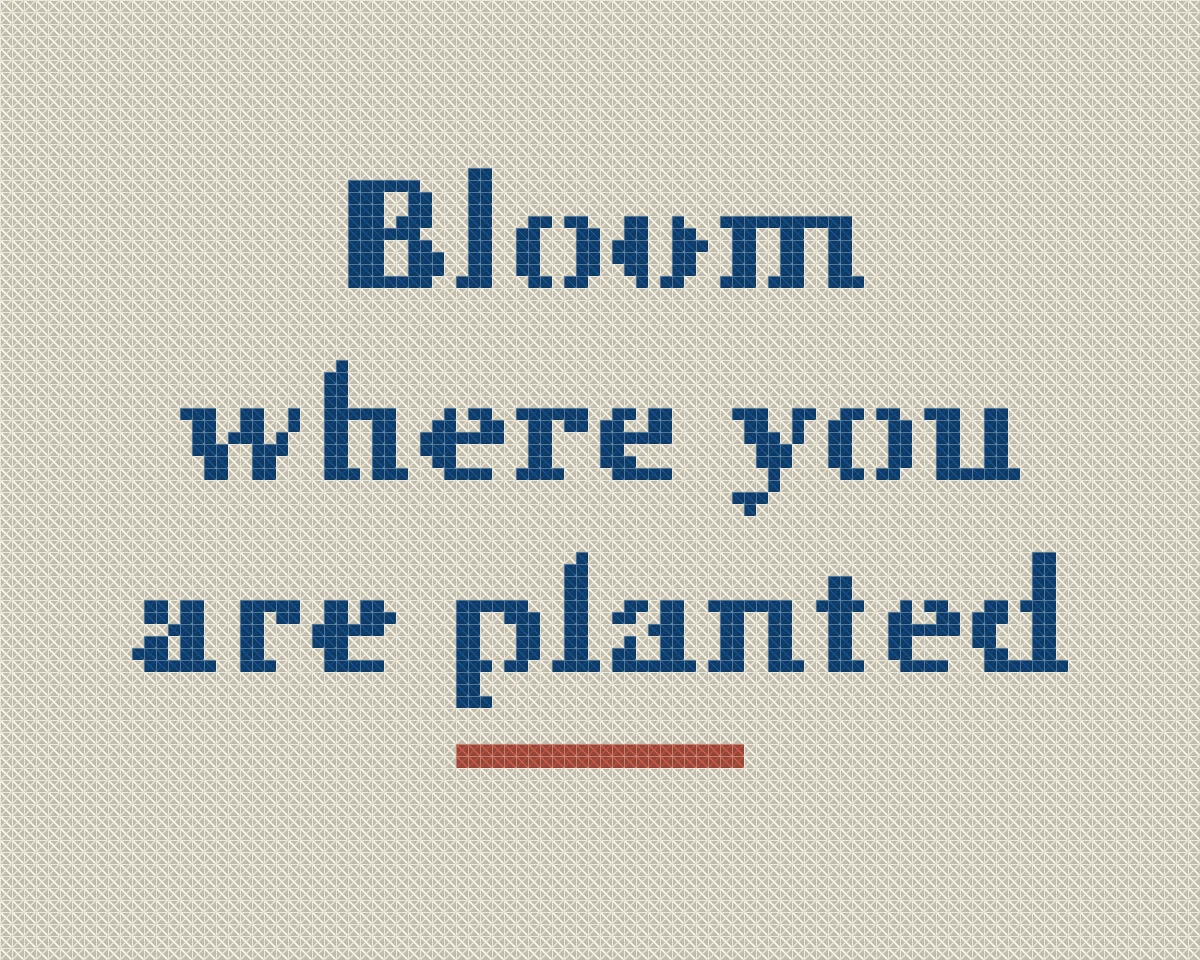
Buy 1 patternPrepare a high-contrast saying as an image, then preview a counted chart with DMC floss before you download the PDF.
Upload a photo and see your pattern in seconds. No account needed to preview.
Upload a portrait, pet or landscape. The studio opens with your photo: crop it, choose the size and colours, and check the printable PDF. No account needed until you download.
Rather chart it yourself? Start from a blank grid
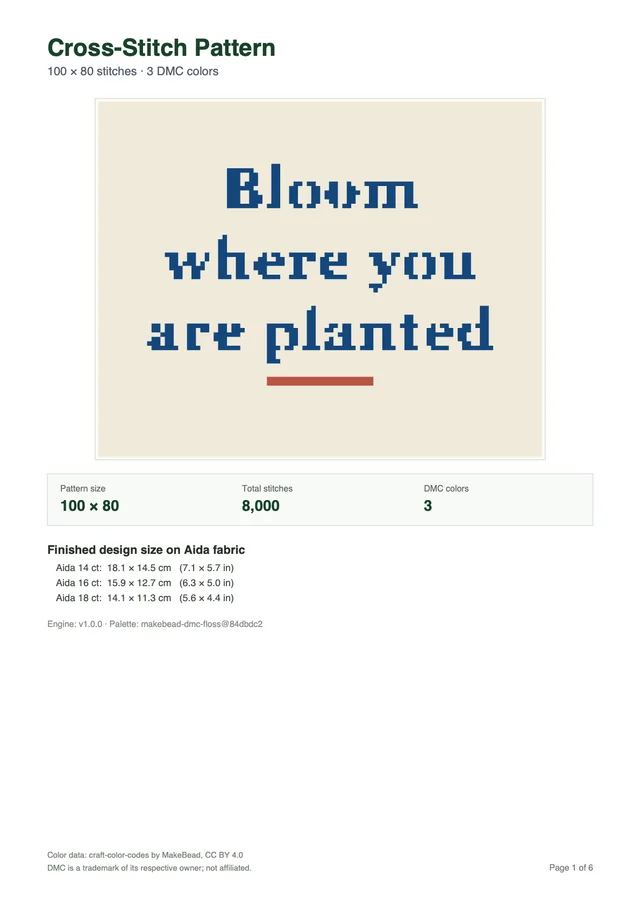
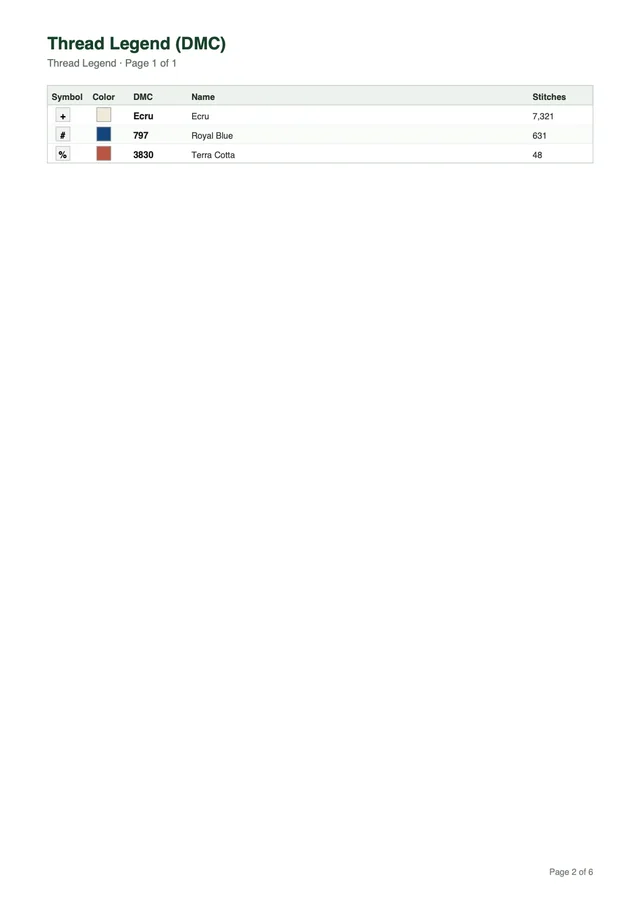
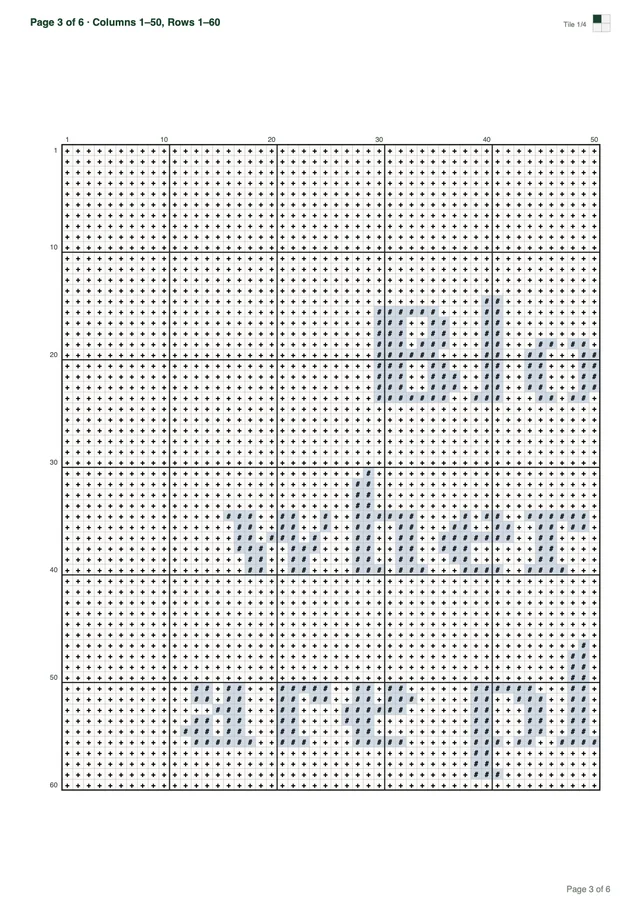
Every download is a multi-page PDF built from your pattern, not a screenshot. This sample was made from the quote above.
Want a different subject? Browse all 67 free patterns
Previewing is free. You pay only when you download a new pattern.
Your first pattern is free Sign up and get 1 credit. No card needed.
Make my patternFor one project
$5.99USD
$5.99 per pattern
Buy 1 patternOne for you, two to give
$12.99USD
$17.97 if bought one by oneSave 27%
$4.33 per pattern
Buy 3 patternsFor the whole family
$19.99USD
$35.94 if bought one by oneSave 44%
$3.33 per pattern
Buy 6 patternsPrices in USD, excluding tax: VAT or sales tax is added at checkout where it applies. Payments by Paddle, our merchant of record. By buying you agree to the Terms of Service and the Refund Policy.
You create a cross stitch quote pattern by uploading a high-contrast graphic rather than typing text on screen. The software translates each letter into counted full crosses.
When you sign up for an account on our website, you receive starter credits to process your graphics into printable PDF files. The Cross Stitch pattern maker accepts JPEG, PNG, and WebP images up to 20 MB and 8,000 pixels per side. Because the generator does not feature a text input box or font selection menu, you typeset your words beforehand in any graphics program or word processor. Exporting crisp black lettering on a clean white background gives the color reduction algorithm clear contrast between stitches and empty fabric.
Digital typography relies on continuous curves, but counted needlework requires discrete square pixels on a fixed grid. The pattern maker processes your uploaded image through Median Cut and k-means clustering to map dark letter pixels directly to DMC embroidery floss. Unlike photo conversions that require subtle gradients, text graphics work best with a tight palette of 2 to 8 colors. Using standard DMC 310 black floss against unstitched cloth creates sharp letterforms without muddy transitional tones.
Many stitchers wonder why automated generators avoid direct font rendering. Building a dedicated text engine requires hundreds of specialized fonts that rarely match individual aesthetic tastes. By preparing your own image, you choose any typeface you prefer, including modern sans-serifs, gothic blackletter, or vintage typewriter fonts. You can also explore our guide on how to make a cross stitch pattern to learn how pixel grids correspond to fabric meshes.
The conversion engine focuses exclusively on full cross stitches. It does not generate backstitch lettering, French knots, fractional quarter stitches, or automatic floral wreaths. If you want decorative borders, simple flourishes, or geometric frames around your quote, draw them directly inside your graphics file before uploading. The pattern maker maps those surrounding shapes into counted crosses right alongside your lettering.
Careful setup avoids common lettering mistakes during conversion. Follow this four-step preparation workflow to produce clean charts from your computer or phone:
If you prefer personal lettering from handwritten notes rather than computer fonts, you can learn more about handwriting to cross stitch conversion techniques. Both methods follow the same image preparation principles to produce stitchable charts.
Legible text requires letter heights between 8 and 12 stitches with 2 stitches between rows. This sizing ensures short phrases fit neatly inside 6-inch or 8-inch embroidery hoops.
When converting typography into counted embroidery, vertical resolution dictates letter clarity. If capital letters measure fewer than 8 stitches in height, lowercase loops on letters like e, a, and o fill with solid stitches and become unreadable blobs. Giving capital letters 10 to 12 stitches of height allows clean interior counters and distinct stems. At that scale, simple serif details and rounded punctuation marks retain their distinct visual shapes across your woven cloth.
Horizontal spacing between letters requires similar care when arranging words. In standard digital fonts, thin spaces can shrink to fractions of a pixel, causing letters to merge when mapped to a rigid square grid. Adding extra tracking in your text graphic ensures that at least 1 or 2 blank fabric squares separate adjacent characters. Leaving 2 to 4 blank rows between stacked text lines prevents tall ascenders on letters like b and d from bumping into descending tails on g and y.
Selecting the right grid width depends directly on your choice of embroidery fabric. On standard 14-count Aida cloth, calculate finished measurements by dividing stitch counts by fabric count. For example, 50 stitches equal 3.6 inches, 60 stitches equal 4.3 inches, 100 stitches equal 7.1 inches, and 200 stitches equal 14.3 inches. Stitchers working on tighter 16-count or 18-count cloth achieve smaller physical measurements from the exact same stitch grid.
Always add 2 to 3 inches of spare fabric on every side when cutting cloth for your project. A quote measuring 70 stitches wide by 50 stitches tall on 14-count Aida covers roughly 5.0 by 3.6 inches of stitched area. Cutting your Aida to 10 by 8 inches provides ample margin for hooping, stretching, and framing without fraying near the stitches. If you want to stitch compact designs for miniature frames, explore our guide on small cross stitch pattern planning.
The Cross Stitch pattern maker offers width presets of 50, 80, 100, 150, and 200 stitches, alongside custom widths from 10 to 300 stitches. A hard cap of 90,000 stitches ensures fast rendering and practical project scale. These presets give you precise control over your physical canvas.
For a 6-inch hoop on 14-count Aida, a width preset of 70 to 80 stitches centers your text comfortably with attractive negative space. For 8-inch or 10-inch wall displays, selecting 100 or 150 stitches accommodates longer multi-line sayings. You can compare these dimensions with broader project formats in our guide on custom cross stitch patterns.
Short original quotes work best when arranged across two or three stacked lines of text. A 12-stitch letter height keeps these humorous statements readable and easy to embroider.
When laying out text for counted cross stitch, stacking words vertically creates a balanced composition that fits standard circular hoops. If you typeset a ten-word phrase across a single horizontal line, the pattern might stretch across 250 stitches wide while standing only 12 stitches tall. That awkward aspect ratio leaves huge empty margins on top and bottom while spilling past the edges of a standard frame. Breaking your message into two or three balanced lines keeps the overall proportions close to a square or gentle oval.
Choosing bold letter weights makes a dramatic difference when software digitizes your typography. Thin, delicate scripts with hairline flourishes often break apart because single-pixel diagonal strokes cannot form complete cross stitches without adjacent support. Medium to heavy sans-serif fonts or sturdy slab-serif letterforms provide solid bodies that fill cleanly with thread. Setting letter tracking slightly wider than default graphic spacing prevents adjacent characters from touching on cloth.
You can also frame your quote with a simple hand-drawn border inside your image editor. Drawing a rectangular border line two or three pixels thick around your text translates into a crisp two-stitch frame on fabric. If you want decorative flourishes, draw small geometric diamonds or starburst corner accents directly onto your canvas. The pattern generator translates every drawn element into full crosses without requiring complex manual charting.
Reviewing expected line widths helps you select appropriate cloth dimensions before preparing your graphic file. The table below lists twenty original sayings designed for counted needlework, including line recommendations and width calculations for 12-stitch-tall lettering.
| Original Saying | Recommended Lines | Width for 12-Stitch Height | Estimated Total Grid | Hoop Recommendation (14-Count Aida) |
|---|---|---|---|---|
| “Please do not make me do math today” | 3 stacked lines | ~95 to 110 stitches per line | 110 × 44 stitches | 8-inch hoop or 5×9 inch frame |
| “Running on cold coffee and counted stitches” | 3 stacked lines | ~115 to 130 stitches per line | 130 × 44 stitches | 10-inch hoop or 6×10 inch frame |
| “I came, I saw, I stayed home” | 3 stacked lines | ~90 to 105 stitches per line | 105 × 44 stitches | 8-inch hoop or 5×8 inch frame |
| “Everything is fine except what is not” | 2 stacked lines | ~135 to 150 stitches per line | 150 × 30 stitches | 10-inch hoop or 4×11 inch frame |
| “Professional overthinker on duty” | 2 stacked lines | ~140 to 155 stitches per line | 155 × 30 stitches | 10-inch hoop or 4×11 inch frame |
| “Kindly leave before nine tonight” | 2 stacked lines | ~135 to 150 stitches per line | 150 × 30 stitches | 10-inch hoop or 4×11 inch frame |
| “My plants and I require quiet” | 2 stacked lines | ~110 to 125 stitches per line | 125 × 30 stitches | 8-inch hoop or 4×9 inch frame |
| “Not today, maybe not tomorrow either” | 2 stacked lines | ~145 to 160 stitches per line | 160 × 30 stitches | 10-inch hoop or 4×12 inch frame |
| “Fueled by clean laundry and chaos” | 2 stacked lines | ~125 to 140 stitches per line | 140 × 30 stitches | 9-inch hoop or 4×10 inch frame |
| “I had plans until I sat down” | 2 stacked lines | ~120 to 135 stitches per line | 135 × 30 stitches | 9-inch hoop or 4×10 inch frame |
| “Calm minds rarely organize craft rooms” | 3 stacked lines | ~110 to 125 stitches per line | 125 × 44 stitches | 9-inch hoop or 5×9 inch frame |
| “Patience is loading, please wait” | 2 stacked lines | ~145 to 160 stitches per line | 160 × 30 stitches | 10-inch hoop or 4×12 inch frame |
| “Less conversation, more embroidery thread” | 2 stacked lines | ~165 to 180 stitches per line | 180 × 30 stitches | 12-inch hoop or 4×13 inch frame |
| “Speak softly and carry extra bobbins” | 2 stacked lines | ~145 to 160 stitches per line | 160 × 30 stitches | 10-inch hoop or 4×12 inch frame |
| “May your fabric always stay taut” | 2 stacked lines | ~120 to 135 stitches per line | 135 × 30 stitches | 9-inch hoop or 4×10 inch frame |
| “I survived another pointless meeting” | 2 stacked lines | ~135 to 150 stitches per line | 150 × 30 stitches | 10-inch hoop or 4×11 inch frame |
| “Bright days begin with quiet mornings” | 2 stacked lines | ~145 to 160 stitches per line | 160 × 30 stitches | 10-inch hoop or 4×12 inch frame |
| “Keep your circle small and tension even” | 3 stacked lines | ~120 to 135 stitches per line | 135 × 44 stitches | 10-inch hoop or 5×10 inch frame |
| “Done is better than perfect, usually” | 2 stacked lines | ~145 to 160 stitches per line | 160 × 30 stitches | 10-inch hoop or 4×12 inch frame |
| “Nobody speaks before morning coffee” | 2 stacked lines | ~145 to 160 stitches per line | 160 × 30 stitches | 10-inch hoop or 4×12 inch frame |
Each stitch calculation assumes capital letters measure 12 stitches high and lowercase vowels average 8 stitches high. Spacing between individual letters consumes roughly 2 stitches, while inter-word spaces require 4 to 6 empty squares. By typing your text into an image editor with generous leading, you ensure that lines never bleed together during conversion. You can modify these layouts to suit personal hoop sizes or add initials below the phrase.
The browser preview displays your full counted chart, exact DMC floss numbers, and finished dimensions for free. You only spend one credit when generating your printable PDF document.
The interactive browser preview allows you to inspect every symbol before creating a printable file. You can pan across the design, zoom in on individual stitches, and verify that letter outlines remain sharp. The conversion algorithm matches pixel colors in CIELAB color space using CIEDE2000 formulas against 489 shades from the MakeBead dmc-floss dataset, published under CC BY 4.0. The software combines Median Cut with k-means clustering to compress similar background tones into clean thread blocks.
When tested across 11 local photos at 100 stitches wide and 30 maximum colors, the conversion algorithm produced a mean CIEDE2000 color difference between 1.8 and 6.8. Processing executed in at most 47 ms in Node. Saturated cyan can sit about 8 Delta E from screen blue because physical cotton threads lack electric screen brightness. The pattern maker operates without a dithering toggle or confetti eraser, which makes high-contrast lettering graphics ideal for clean stitching runs.
Every generated PDF arrives formatted for standard Letter or A4 paper. The document opens with a cover page displaying an artwork preview, overall stitch dimensions, total stitch volume, and finished sizes for 14, 16, and 18 count Aida. A thread legend lists each symbol, DMC number, official color name, and exact stitch count.
Symbol chart pages follow in tiles of 50 stitches wide by 60 stitches tall, featuring bold grid lines every 10 stitches, margin coordinates, and an overview minimap. Our sample chart, measuring 100 by 80 stitches with 3 colors, spans 6 printable pages. These tiled sheets ensure comfortable reading beside your embroidery hoop.
Creating an account with Google provides 1 free credit to begin your first embroidery project. Generating a new PDF costs 1 credit, while repeat downloads of your existing file cost nothing. You can experiment with different width presets and palette sizes without using any credits. When you are ready to stitch, visit our sign up page to unlock your printable files.
Working from your own graphic gives you complete control over lettering styles, margins, and hoop placement. Upload your prepared graphic to preview the full grid, check dimensions, and download your finished PDF. Every stitcher can make a personalized cross stitch quote pattern ready for home framing.
No. The Cross Stitch pattern maker does not type text, select fonts, or create backstitch outlines. You create your saying as a clean image file first, then upload it to generate counted full crosses.
Each letter should measure roughly 8 to 12 stitches tall so lowercase loops and serifs stay crisp. For short sayings across two lines, set the chart width to at least 80 or 100 stitches. That sizing keeps text legible on 14-count Aida cloth.
The generator does not draw decorative borders or floral frames automatically. You can draw or paste any frame you like into your text image before uploading. The pattern maker will map the full image into counted crosses alongside your words.
Most quote projects need only 2 to 8 colors. Black lettering on a white background requires just two shades, including DMC 310 for the text. Keeping color counts low prevents stray confetti stitches across open fabric.
Signing up with Google gives you 1 free credit for your first pattern. Generating a new multi-page PDF chart costs 1 credit. Repeat downloads of your previously generated chart cost nothing.
Preparing a high-contrast cross stitch quote pattern gives you full control over your fonts, margins, and hoop dimensions. Upload your text graphic to preview the counted grid and stitch count before you stitch. Sign up today to receive 1 free credit and start your next hoop project.
Try for freeUpload a photo and see your pattern in seconds. No account needed to preview.