1 pattern
For one project
$5.99USD
$5.99 per pattern
Buy 1 patternSet a short public-domain verse as an image, then preview a counted DMC chart before you download the PDF.
Upload a photo and see your pattern in seconds. No account needed to preview.
Upload a portrait, pet or landscape. The studio opens with your photo: crop it, choose the size and colours, and check the printable PDF. No account needed until you download.
Rather chart it yourself? Start from a blank grid
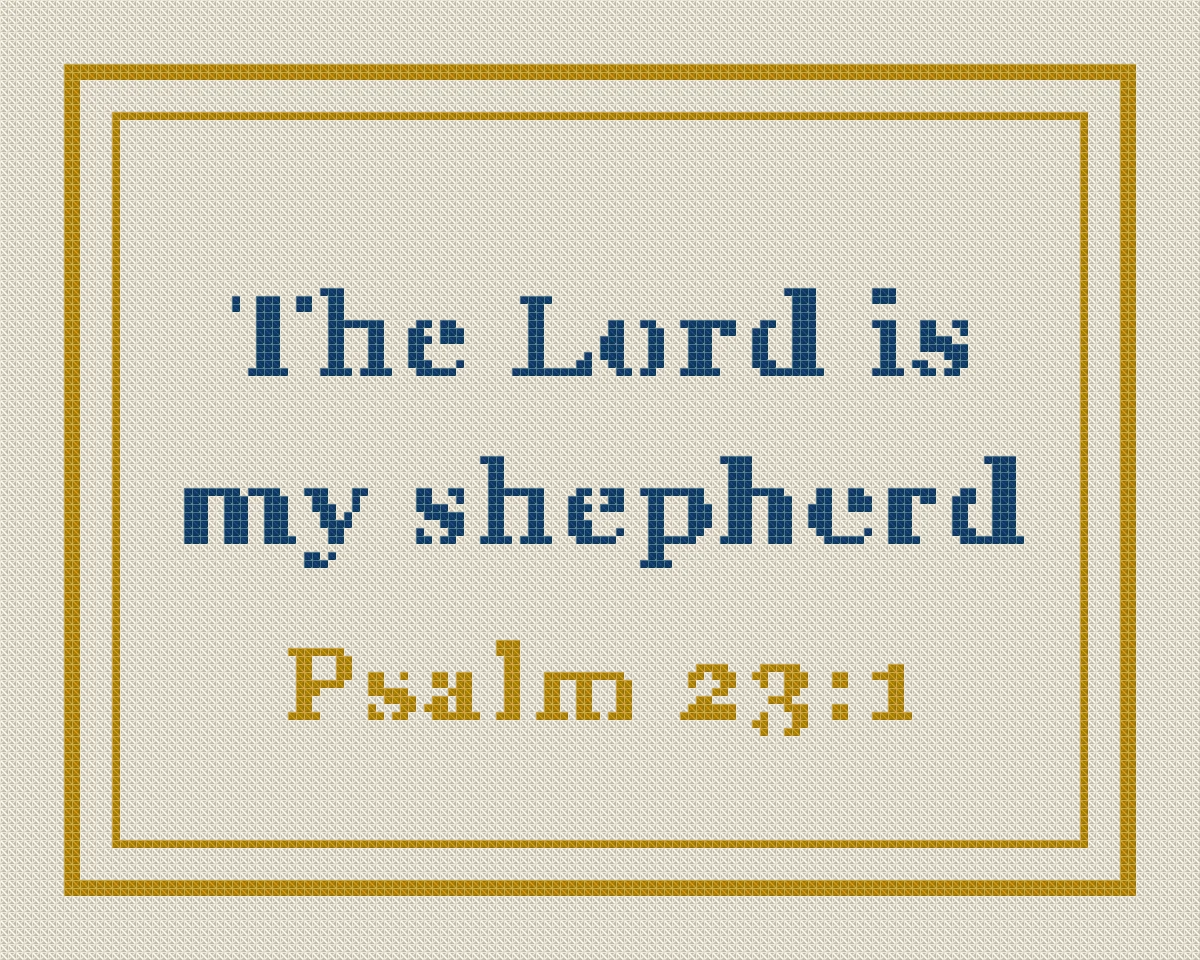
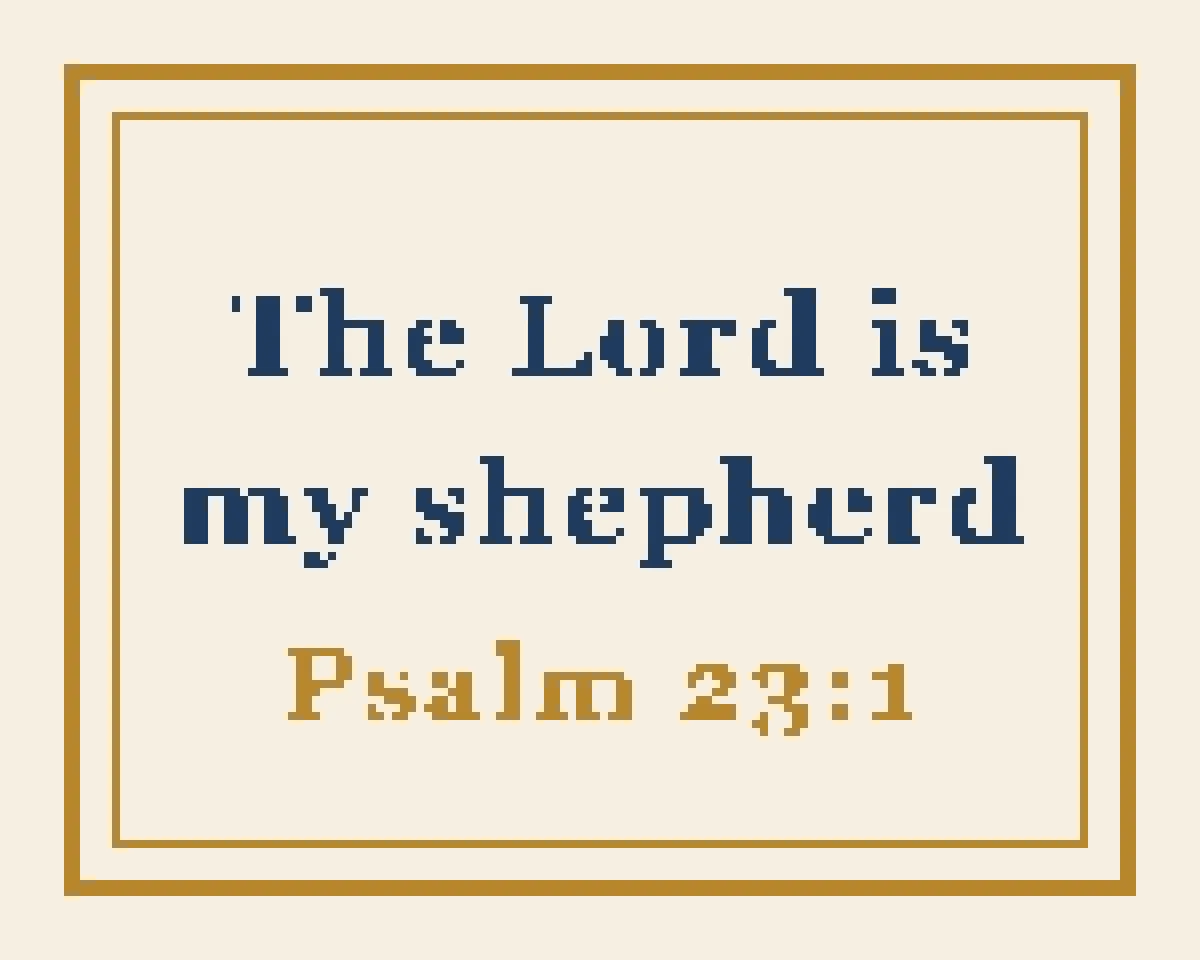
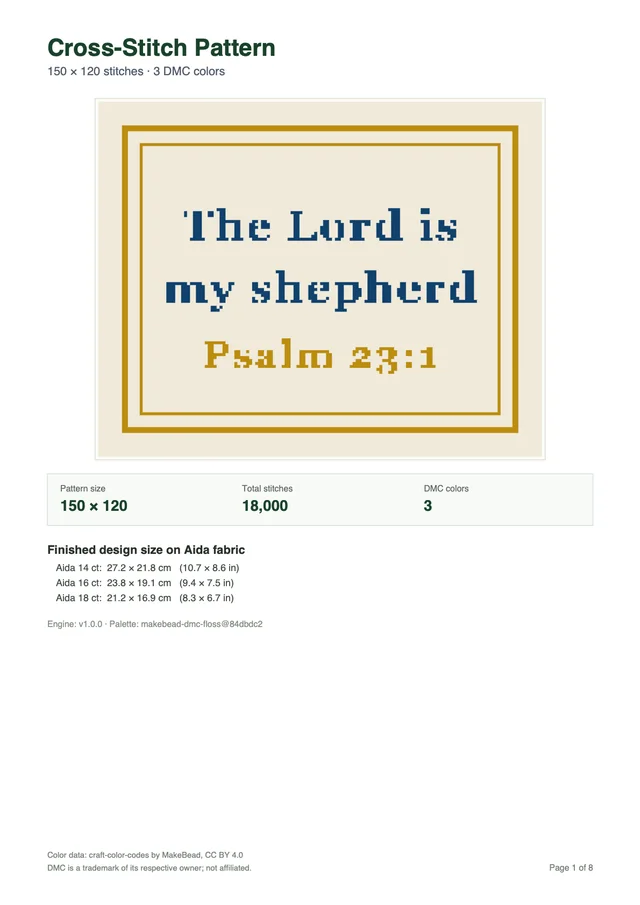
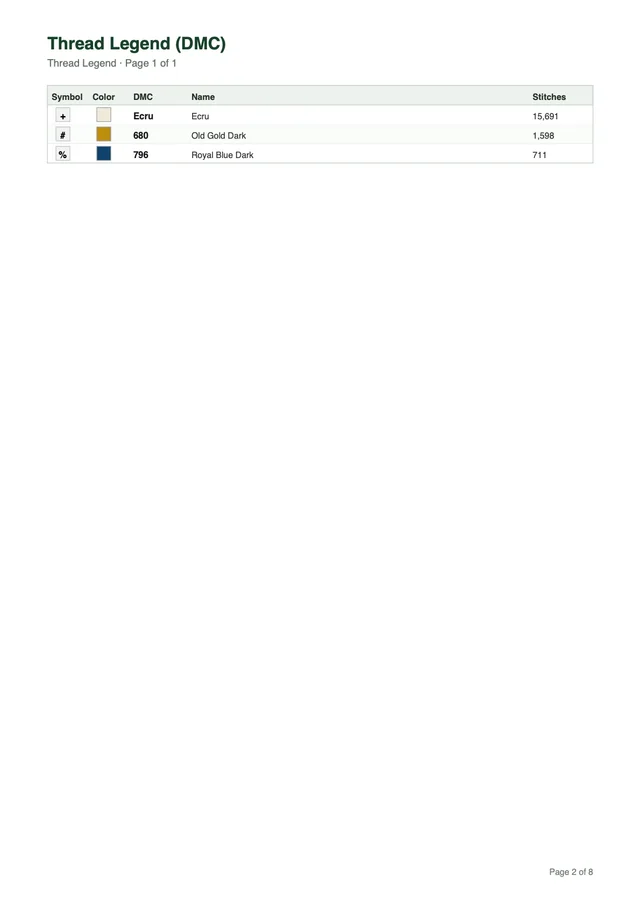
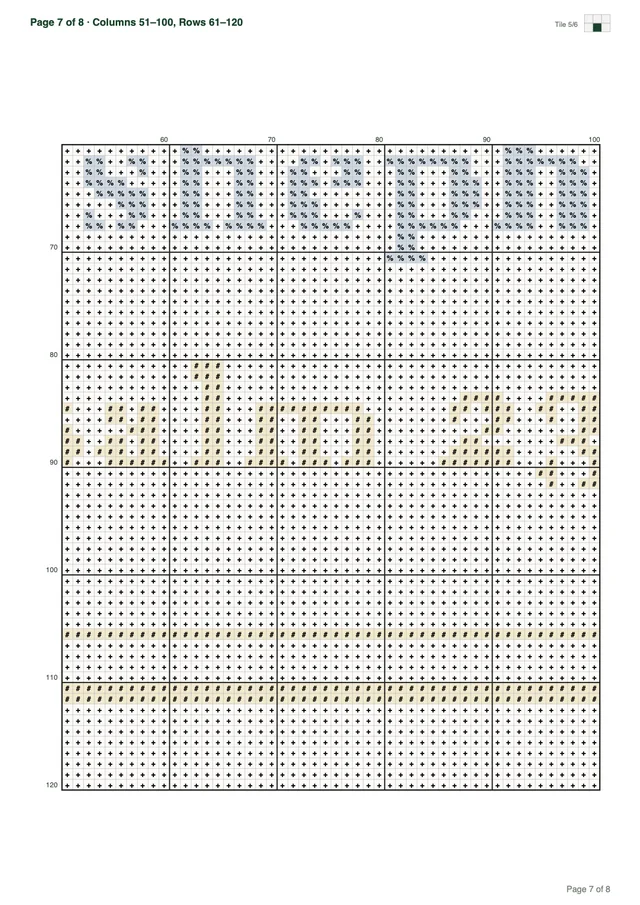
Every download is a multi-page PDF built from your pattern, not a screenshot. This sample was made from the verse above.
Want a different subject? Browse all 67 free patterns
Previewing is free. You pay only when you download a new pattern.
Your first pattern is free Sign up and get 1 credit. No card needed.
Make my patternFor one project
$5.99USD
$5.99 per pattern
Buy 1 patternOne for you, two to give
$12.99USD
$17.97 if bought one by oneSave 27%
$4.33 per pattern
Buy 3 patternsFor the whole family
$19.99USD
$35.94 if bought one by oneSave 44%
$3.33 per pattern
Buy 6 patternsPrices in USD, excluding tax: VAT or sales tax is added at checkout where it applies. Payments by Paddle, our merchant of record. By buying you agree to the Terms of Service and the Refund Policy.
A bible verse cross stitch pattern translates an uploaded scripture image into counted full-cross stitches. Preparing high-contrast text before uploading ensures legible needlework letters.
Turning scripture into a counted chart begins when you prepare a digital graphic and sign up on our website. The Cross Stitch pattern maker accepts JPEG, PNG, and WebP files up to 20 MB and 8,000 pixels per side. All conversion processing runs directly in your web browser, providing instant chart previews. You can examine every symbol coordinate, experiment with dimensions, and check colors before saving your chart.
Many crafters search online expecting to type a favorite verse into a text box and choose decorative script fonts. Our converter does not type text, pick fonts, draw floral frames, insert names, build avatars, or remove backgrounds. Instead, it operates strictly as an image-to-chart engine. You create your lettering inside a graphics editor, export the graphic file, and upload that picture to generate your chart.
Letter legibility in counted cross stitch depends directly on physical grid resolution. Individual letters require about 8 to 12 stitches of height for lowercase characters and 12 to 16 stitches for capital letters. If you attempt to render a tiny font across only 4 or 5 vertical rows, the curves collapse into muddy blocks. Giving letterforms enough height preserves open loops in letters like e, a, and o.
Decorative borders framing your verse must also be drawn directly inside your source artwork. The pattern maker does not feature an automated ornament generator or border library. A simple border drawn in the same image turns into stitches with the words, letting you add clean lines, geometric bands, or vine motifs. Drawing your frame in your image keeps border shapes in balance with your text.
Color conversion relies on exact color science to match graphic pixels to stranded cotton. The software calculates shade differences in the CIELAB color space using the CIEDE2000 formula against 489 DMC shades from the MakeBead dmc-floss dataset. In our benchmark run, 11 local photos at 100 stitches wide and 30 max colors were tested with a mean CIEDE2000 difference between 1.8 and 6.8 at most 47 ms in Node. This exact matching gives dependable thread numbers for both lettering and background fabrics.
Crafters exploring lettered needlework can study our cross stitch quote pattern guide for further phrasing recommendations. You can also explore our helpful how to make a cross stitch pattern tutorial to understand grid structures. Mastering image preparation gives you total freedom over typeface selection, line spacing, and verse arrangement.
The engine builds charts using only counted full cross stitches. It does not export backstitch outlines, French knots, or fractional quarter stitches. Fine detail comes from sharp grid count rather than extra outlining threads. That clean structural focus makes your finished scripture pieces sturdy, uniform, and relaxing to sew.
Software tools like Photoshop, GIMP, Canva, or basic drawing programs work well for creating verse graphics. You can establish high-contrast black-and-white charts using solid black text set against pure white backgrounds. Keeping the artwork crisp prevents fuzzy gray edges along character boundaries. Clean digital edges translate directly into sharp, legible stitch symbols.
When arranging your verse, allow extra space around each line of text. Wider line spacing keeps tall ascenders on letters like d and h from bumping into low descenders like p and y. Giving words room to breathe makes your needlework easy to read from across the room. Careful graphic preparation always produces sharper embroidery charts.
Short scripture passages fit traditional embroidery samplers while preserving readable letter forms. Concise King James verses give needleworkers meaningful text without overcrowding narrow fabric borders.
Choosing a sensible passage length is a critical choice when designing a scripture sampler. Long passages such as all of 1 Corinthians 13 will not fit a bookmark grid or modest framed sampler. If you attempt to fit several hundred words into a typical hoop, each letter receives only two or three stitches. Condensed letterforms turn sacred words into unreadable pixel noise.
Selecting short, memorable scripture phrases ensures your lettering remains large enough to read easily. The King James Version is public domain in the United States. Modern copyrighted translations carry strict copyright rules, making public-domain King James text the safest choice for personal and shared needlework charts. The classic rhythm of King James phrasing also fits vintage samplers.
| Scripture Reference | King James Text |
|---|---|
| Psalm 23:1 | The LORD is my shepherd; I shall not want. |
| John 3:16 | For God so loved the world. |
| Psalm 46:10 | Be still, and know that I am God. |
| Philippians 4:13 | I can do all things through Christ which strengtheneth me. |
| Joshua 1:9 | Be strong and of a good courage; be not afraid. |
| Proverbs 3:5 | Trust in the LORD with all thine heart. |
| Isaiah 41:10 | Fear thou not; for I am with thee. |
| Matthew 11:28 | Come unto me, all ye that labour and are heavy laden. |
| Romans 8:28 | All things work together for good to them that love God. |
| Micah 6:8 | To do justly, and to love mercy, and to walk humbly. |
| Numbers 6:24 | The LORD bless thee, and keep thee. |
| Psalm 119:105 | Thy word is a lamp unto my feet. |
| Ecclesiastes 3:1 | To every thing there is a season. |
| Jeremiah 29:11 | For I know the thoughts that I think toward you. |
| Matthew 5:14 | Ye are the light of the world. |
Each of these fifteen passages carries deep spiritual meaning while remaining brief enough for counted embroidery. When arranging your verse, try splitting the quote across two or three even lines. A three-line arrangement creates an attractive neat block that centers well inside decorative borders. Centered text alignments feel classic and clean for home display.
You can embellish these verses by adding classic folk motifs into your image before conversion. Simple cross shapes, block corners, or small olive leaves convert cleanly when drawn with bold lines. Crafters interested in other custom projects can explore our custom cross stitch pattern options for combining text with illustrative elements. Combining short scripture text with modest decorative flourishes produces an authentic sampler aesthetic.
Font choice shapes the mood of your finished piece. Classic serif typefaces like Times New Roman, Georgia, or Garamond yield classic church sampler styling. Clean sans-serif fonts such as Helvetica or Arial produce contemporary, modern Christian wall art. Avoid overly thin cursive fonts, as thin hairline strokes often vanish when mapped to coarse fabric squares.
Kerning, or the spacing between letters, also needs careful attention during image setup. Lettering in counted cross stitch needs at least one full stitch of space between adjacent characters. If letters touch in your graphic, they merge into a solid band of color on your chart. Adding extra letter spacing in your design program preserves clear letter shapes across every word.
Text layout can sit centered or align left to suit your frame. Centered lettering works best for standalone verses displayed inside circular wooden hoops or square frames. Left-aligned words pair well with side designs, such as a floral vine running up one edge. Planning your layout thoughtfully before exporting your graphic saves valuable crafting hours.
Scripture projects range from small ribbon bookmarks to large framed wall samplers. Calculating finished dimensions directly from stitch counts ensures your embroidery fits your intended display.
Fabric sizes scale directly from stitch count and fabric mesh. To calculate the physical size of your needlework in inches, divide the stitch count across each axis by your fabric count. On 14-count Aida, 50 stitches equal 3.6 inches, 60 stitches equal 4.3 inches, 100 stitches equal 7.1 inches, 200 stitches equal 14.3 inches, and 300 stitches equal 21.4 inches. Crafters should always add 2 to 3 inches of spare fabric per side for secure framing or finishing.
Stitched bookmarks are a top favorite for short Bible verses. A typical bookmark ribbon measures 2.0 to 2.5 inches wide by 6.0 to 8.0 inches long. On 14-count Aida, a grid of 30 stitches wide by 100 stitches tall finishes at 2.1 by 7.1 inches. These small bounds hold a short four-word Bible quote with a neat border.
Needleworkers who enjoy quick, portable projects can review our small cross stitch pattern projects for more small layout ideas. Small bookmarks work up quickly, making them wonderful handmade gifts for church study groups or family milestones. When creating bookmarks, remember to allow enough blank margin along the edges for fringe or hemstitching. Proper margins protect your stitching from fraying during frequent reading use.
Framed samplers hold longer verses, bigger letters, and decorative borders. A sampler of 140 by 140 stitches measures 10.0 by 10.0 inches on 14-count Aida cloth. That same 140-stitch piece worked on 18-count Aida finishes at a neat 7.8 by 7.8 inches. Higher-count fabrics allow you to pack detailed words into smaller frame apertures without losing sharp readability.
Circular embroidery hoops offer a charming display option for modern needlework. Common wooden hoop sizes include 4-inch, 6-inch, and 8-inch diameters. A 6-inch hoop fits a square stitched space of 60 by 60 stitches on 14-count Aida, which measures 4.3 by 4.3 inches. The round hoop leaves pleasant fabric margins around the square text.
Choosing the right fabric count depends on your eyesight and personal taste. Fourteen-count Aida is the top pick for beginners because the cloth squares are easy to see. Sixteen-count and eighteen-count fabrics offer a denser, more refined appearance that resembles historical linen samplers. Regardless of fabric count, maintaining consistent stitch tension prevents the cloth from puckering around dense lettering blocks.
Sizing controls let you adapt your project to almost any display. Crafters can select from width presets of 50, 80, 100, 150, and 200 stitches. You can also specify any custom width from 10 to 300 stitches, subject to an overall cap of 90,000 stitches. This freedom lets you size your grid to bookmarks, frames, or pillow covers.
Always check your fabric size before cutting into your cloth. Measuring twice and cutting once prevents frustrating shortages when mounting your finished piece into a frame. Leaving 2 to 3 inches of border keeps plenty of cloth for mounting. Wide margins also let you lace the back with thread for a neat frame.
High visual contrast between lettering and fabric produces clear scripture needlework. Limiting embroidery palettes keeps stitch charts straightforward while preventing stray confetti stitches.
Scripture needlework charts perform best with 2 to 6 colors rather than massive palettes. A two-color plan with dark text on light fabric gives striking, classic results. Adding two accent colors lets you tint capital letters or stitch small green leaves. Keeping colors low cuts down on thread changes and keeps sewing calm.
Color presets include 10, 20, 30, 40, and 50 shades, along with custom entries from 2 to 50 DMC colors. Palette reduction pairs Median Cut with k-means clustering to group similar shades into solid blocks. The system runs without a dithering switch and has no confetti eraser tool. Clean clustering stops confetti stitches from speckling your lettering.
Computer screens display glowing light, which means saturated primary colors can occasionally diverge from physical dyed cotton threads. For example, saturated cyan can sit about 8 Delta E from screen blue when matched to physical floss. For scripture charts, using high-contrast dark tones like DMC 310 for black text against light backgrounds avoids color mismatches. High-contrast two-color palettes ensure complete fidelity between on-screen graphics and stitched results.
Every generated pattern exports as a clean, high-resolution PDF file for Letter or A4 paper. The document includes a cover page, a complete DMC floss legend, and tiled symbol chart pages. Chart tiles are 50 stitches wide by 60 tall, with a bold grid every 10 stitches, border numbers, and a page minimap. Our sample chart of 150 by 120 stitches and 3 colors spans 8 neat pages.
Working from a well-structured printable chart ensures an enjoyable crafting experience from start to finish. Follow these practical steps when preparing to sew your scripture pattern:
Checking your design in the free browser preview saves valuable crafting time. The live preview lets you zoom into letter symbols to make sure each character stays clear. You can check the full DMC floss key, read symbol shapes, and check size without using credits. Testing different widths in your browser ensures the chart matches your plan.
Our credit system keeps chart creation simple and clear. When you sign up with Google, you receive 1 free credit to start your first charting project. Creating a new multi-page PDF chart costs 1 credit, while repeat downloads of that file cost nothing. You can open your saved chart file anytime without spending more credits.
Creating a bible verse cross stitch pattern lets you honor your faith through peaceful needlework. Using the Cross Stitch pattern maker, you translate your personalized scripture graphic into a counted chart with authentic DMC embroidery floss colors. Upload your verse artwork, adjust your grid dimensions, and download your printable chart to begin sewing your heirloom scripture sampler.
No. The Cross Stitch pattern maker converts uploaded images into counted charts and does not type text or pick fonts. You create your verse layout in an external graphics editor, save the file as a PNG or JPEG, and upload it to generate your chart.
You can upload JPEG, PNG, and WebP files up to 20 MB and 8,000 pixels on each side. Processing runs locally in your web browser, allowing immediate visual previews without server lag.
Scripture lettering charts work best with 2 to 6 colors, such as dark text on a light fabric background with an optional accent border. The Cross Stitch pattern maker supports presets of 10, 20, 30, 40, or 50 colors, and custom palettes from 2 to 50 DMC colors.
No. The pattern maker creates charts consisting exclusively of full counted cross stitches mapped to DMC cotton floss. It does not export backstitch lettering, French knots, or fractional quarter stitches.
When you sign up with Google on our website, you receive 1 free credit for your first pattern. Generating a new multi-page printable PDF chart costs 1 credit. Repeat downloads of your previously generated charts cost nothing.
Preparing a bible verse cross stitch pattern allows you to turn cherished scripture into a timeless needlework keepsake. Design your verse in an external graphics program, upload the artwork to our website, and preview your counted chart in your browser before printing. When you sign up, you receive 1 free credit to download your personalized scripture embroidery PDF today.
Try for freeUpload a photo and see your pattern in seconds. No account needed to preview.